
Healthcare · Mobile app
Medivault
A patient-facing mobile app that gives people secure access to their own health information: medical records, prescriptions and care updates, in one place.
- Year
- 2025
- Role
- Research, UX & UI
- Tools
- Figma
- Type
- Client project
The problem
Patients rarely get to see their own medical story
It’s scattered across hospital visits, paper records and several digital platforms. Without one place to see it, people struggle to follow their health, which leads to confusion, low engagement and broken continuity of care.
Scattered records
Visits, paper and separate apps.
Hard to follow
No single view of history or treatment.
Easy to miss
Medications and appointments slip through.
The solution
One secure place for patients to view and manage their health
Everything in one place
Records, prescriptions and care updates live together in a single secure app.
Clear for non-clinicians
Medical information presented simply, so patients understand their own care.
Closer to providers
Booking, messaging and controlled record sharing connect patients and doctors.
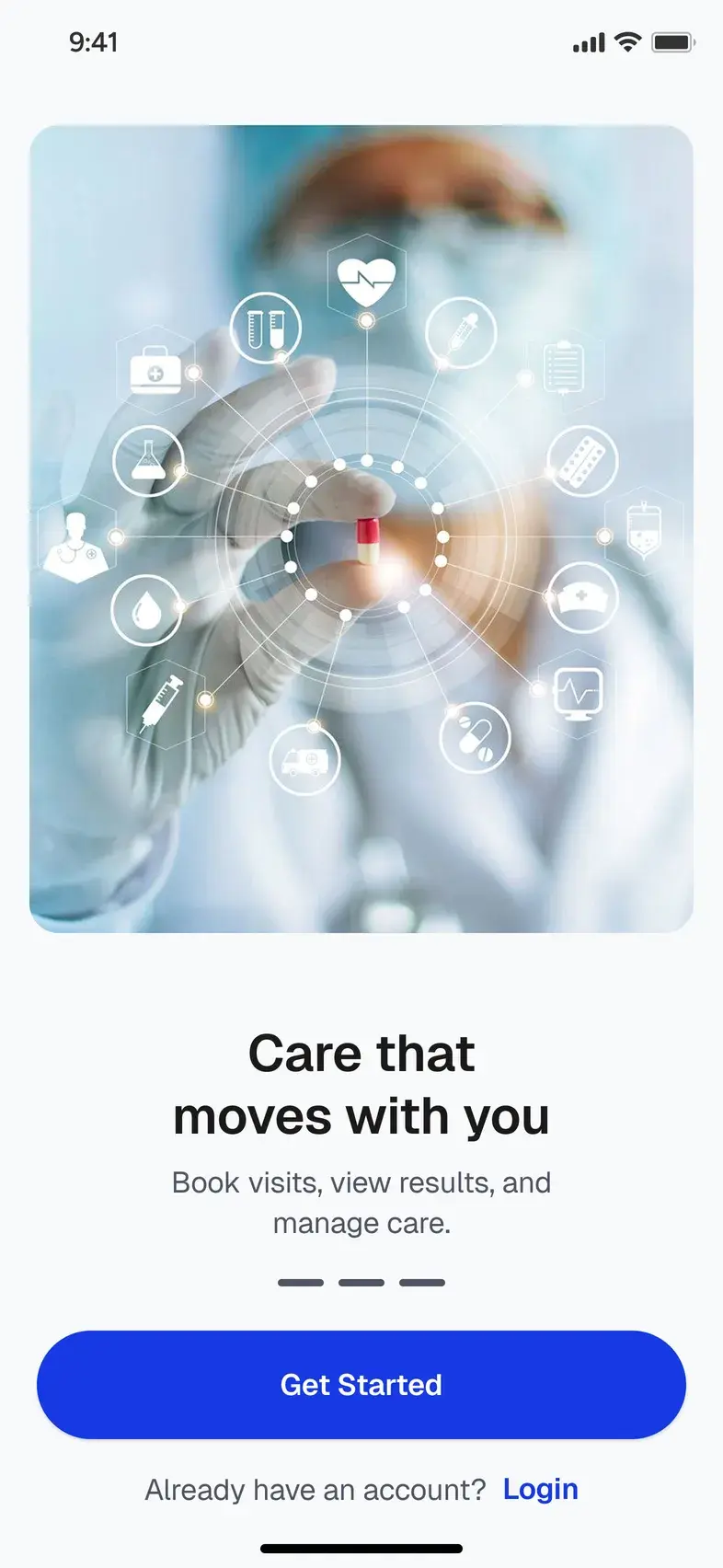
Flow 01 · Getting started
A short welcome, then the basics
The first run says what the app is for and asks where the patient is, before anything else.
01Welcome
One line on what the app does: book visits, view results and manage care.
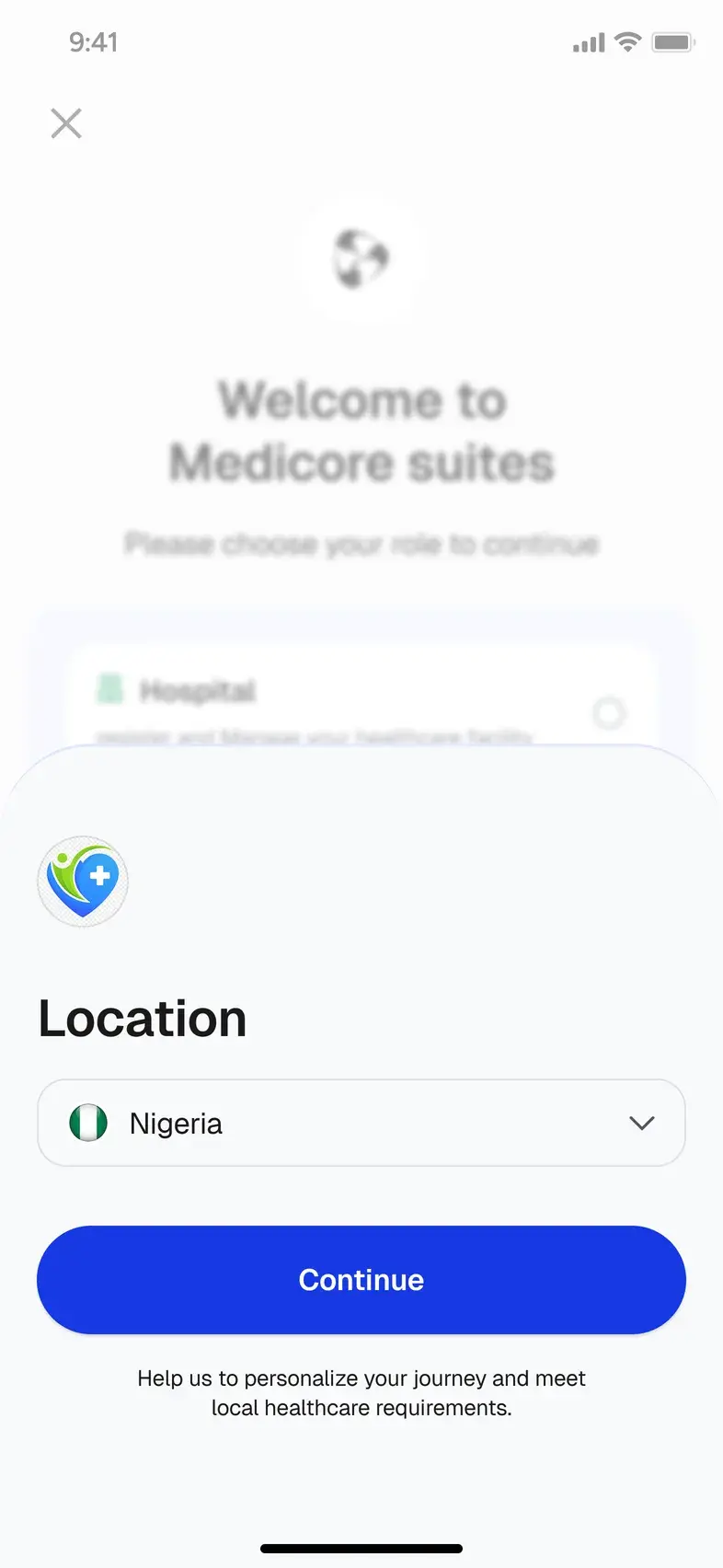
02Location
The patient picks their country, so the app can follow local healthcare requirements.
Flow 02 · Finding care
From the home screen to the right doctor
Booking starts from the home screen or the Visits tab, then the doctor’s profile and how to meet them.
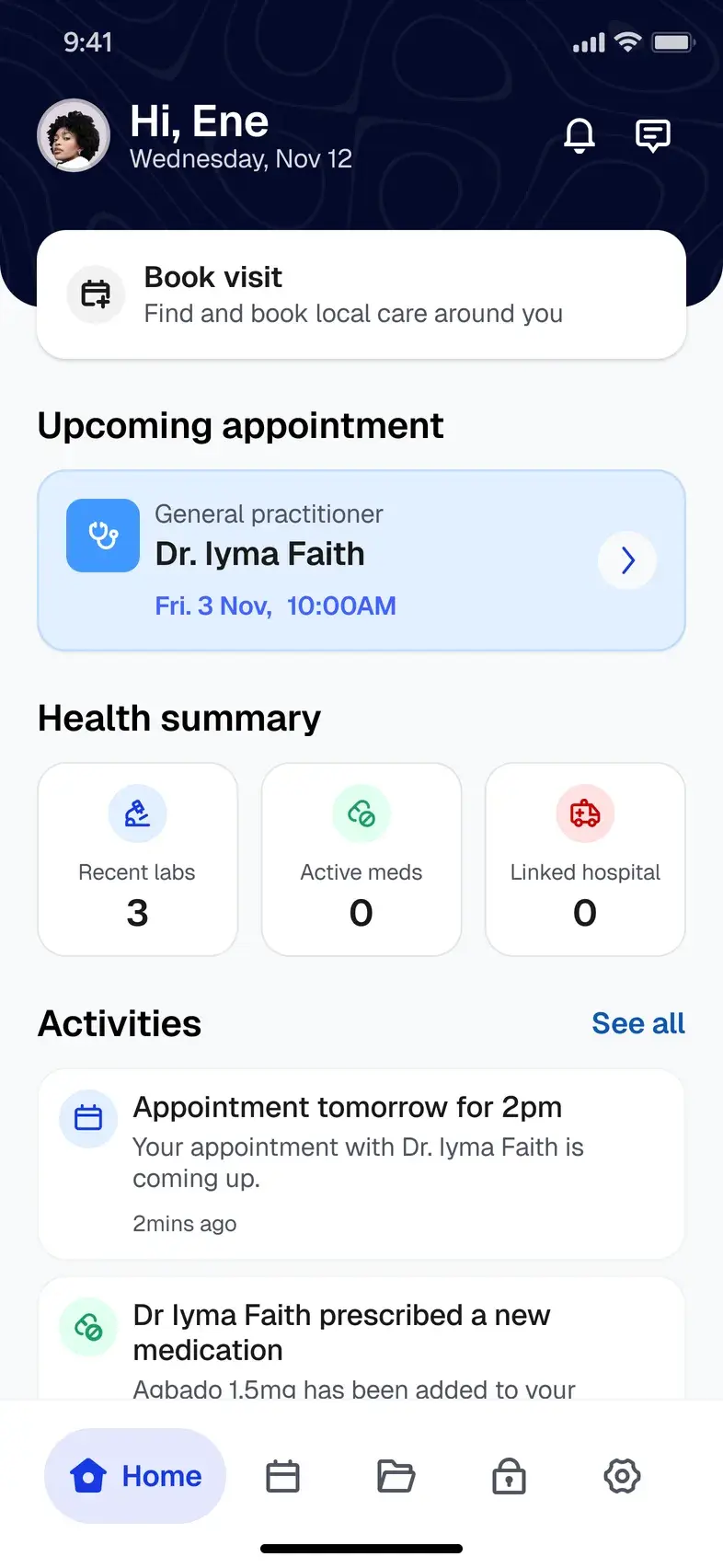
01Home
Book visit sits at the top, above the next appointment, a health summary and recent activity.
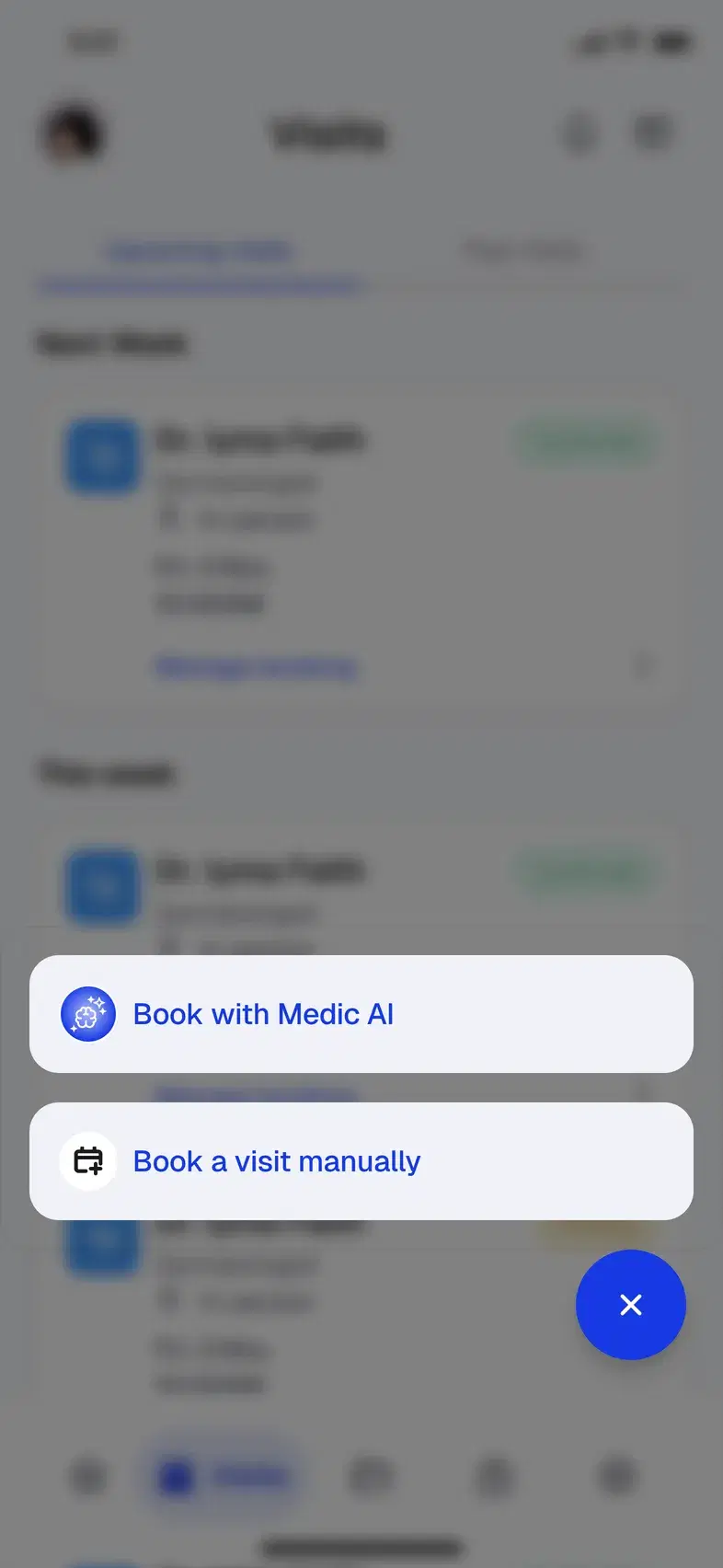
02Two ways to book
From Visits, patients book with Medic AI or book a visit themselves.
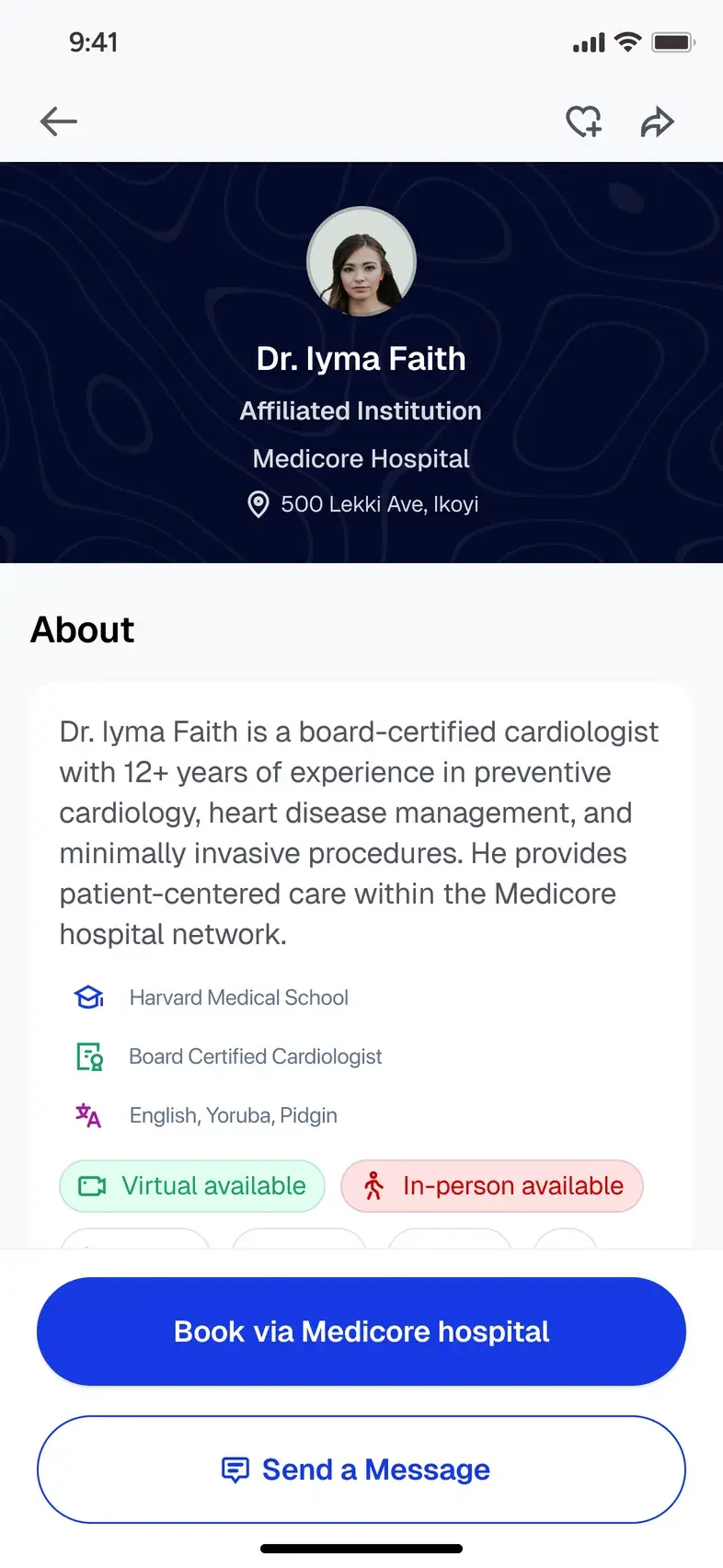
03Doctor profile
Who the doctor is, where they work and how they see patients, with booking and messaging at the bottom.
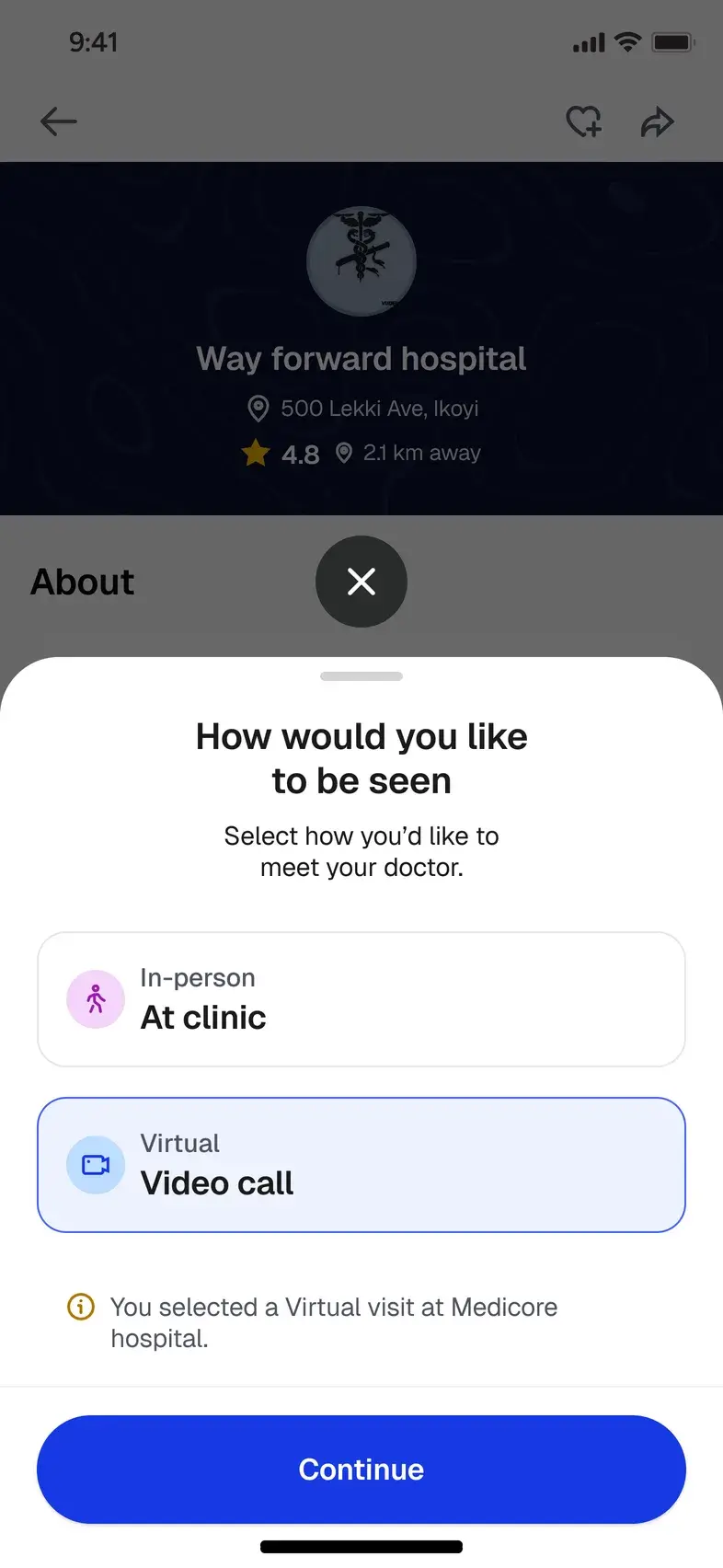
04Visit type
Patients choose to be seen in person at the clinic or on a video call.
Flow 03 · Booking a visit
Check everything once, then confirm
Who the visit is for, every detail on one screen, then a clear confirmation.
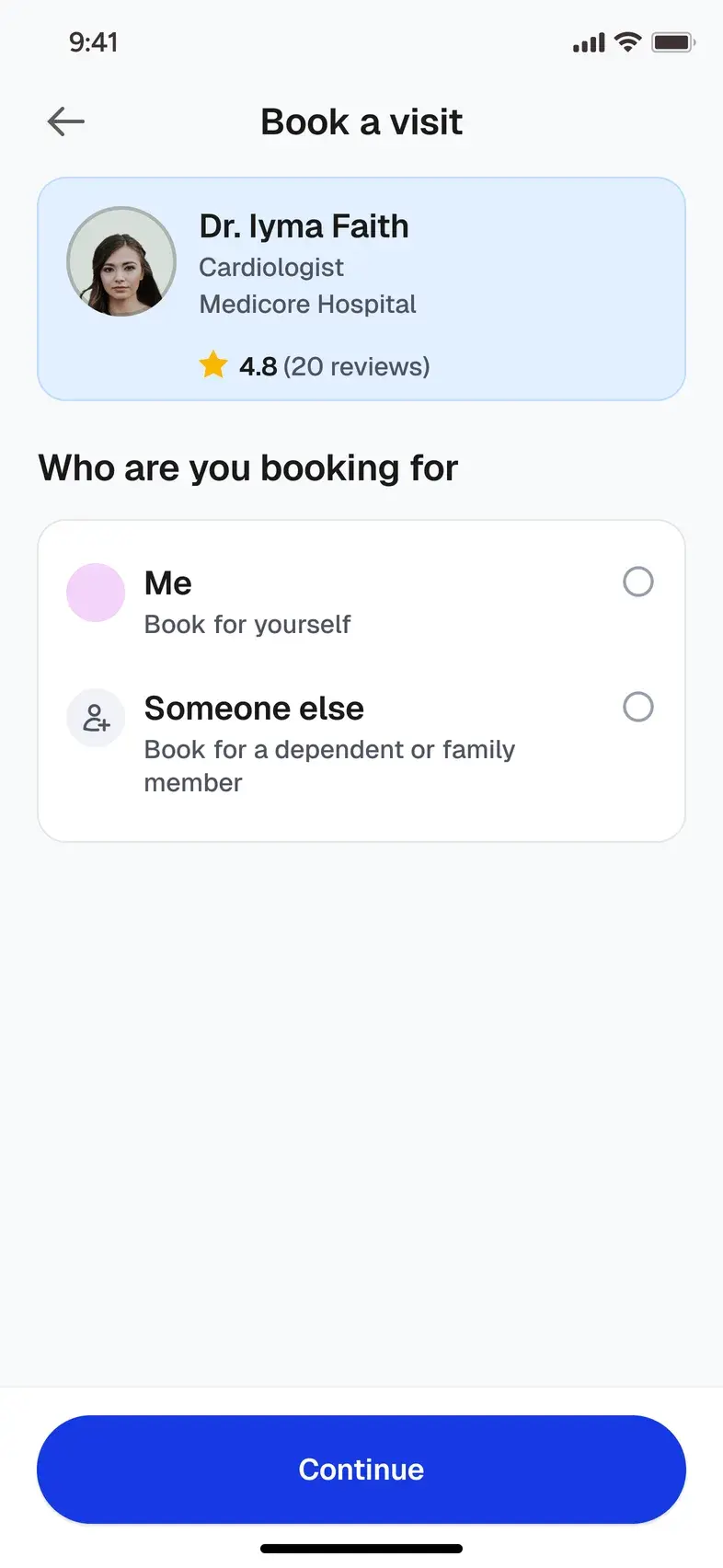
01Who it’s for
Book for yourself, or for a dependent or family member.
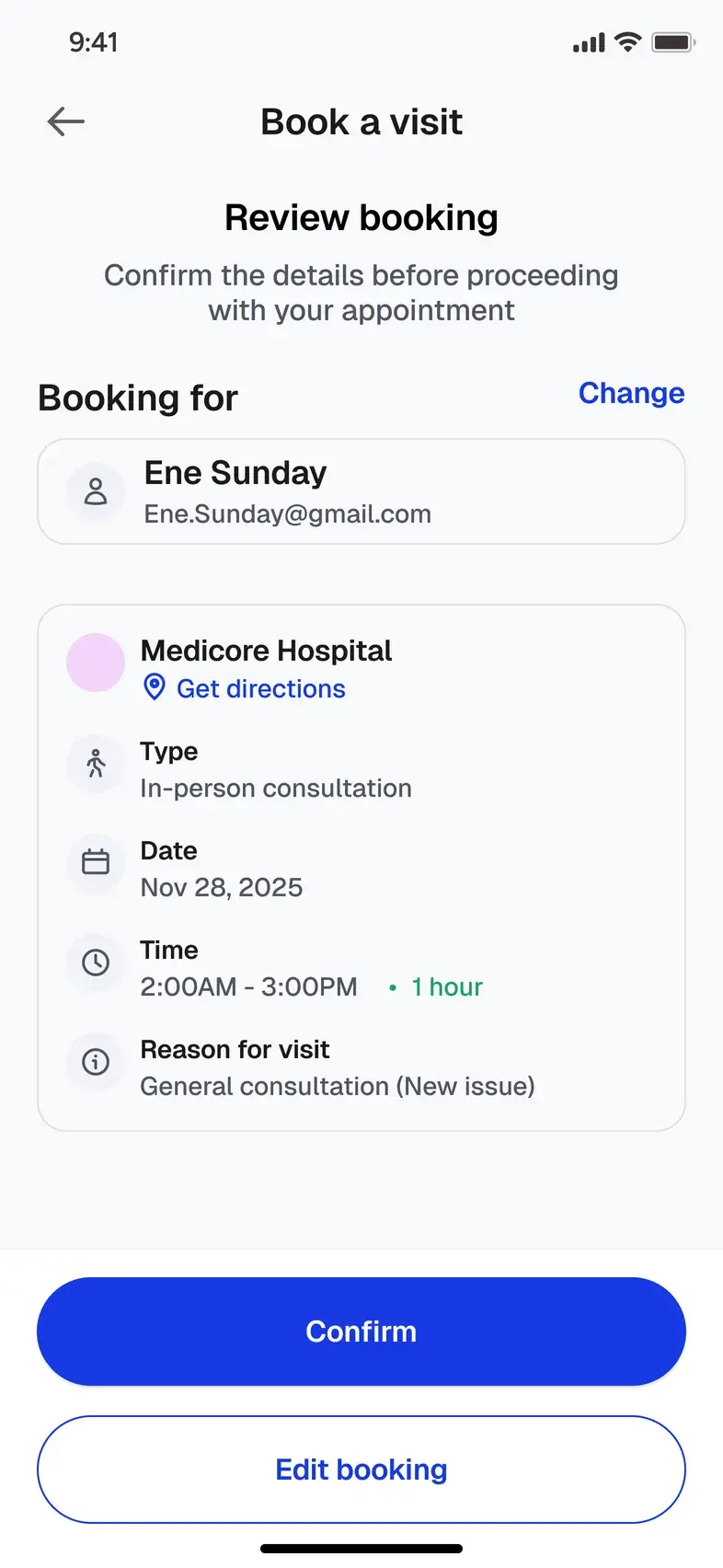
02Review booking
Patient, hospital, visit type, date, time and reason together, each one easy to change.
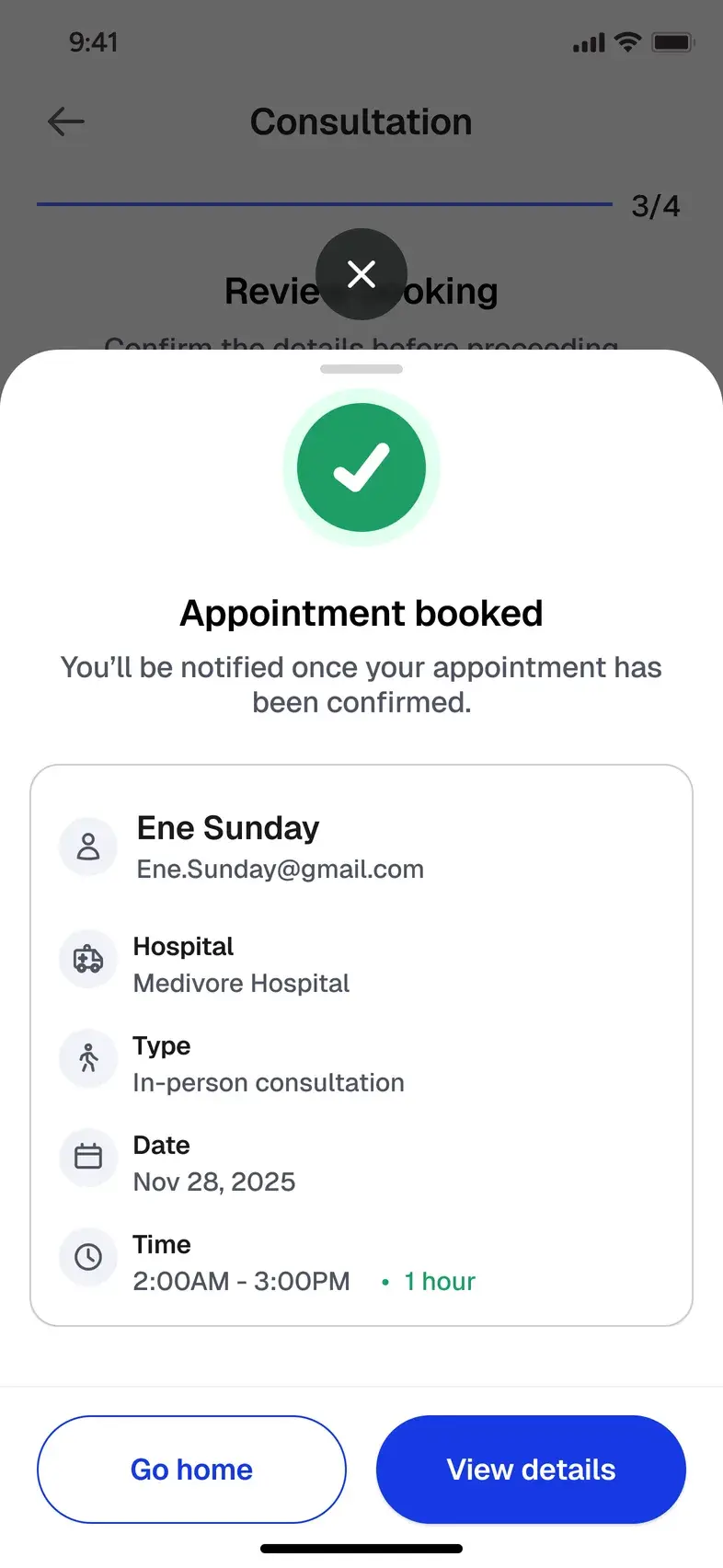
03Booked
A summary of the booking, and a note that the patient will hear once it’s confirmed.
Flow 04 · Messages and access
Patients see who can view their records
Patients message their doctor, see what a doctor can access and why, and open their results.
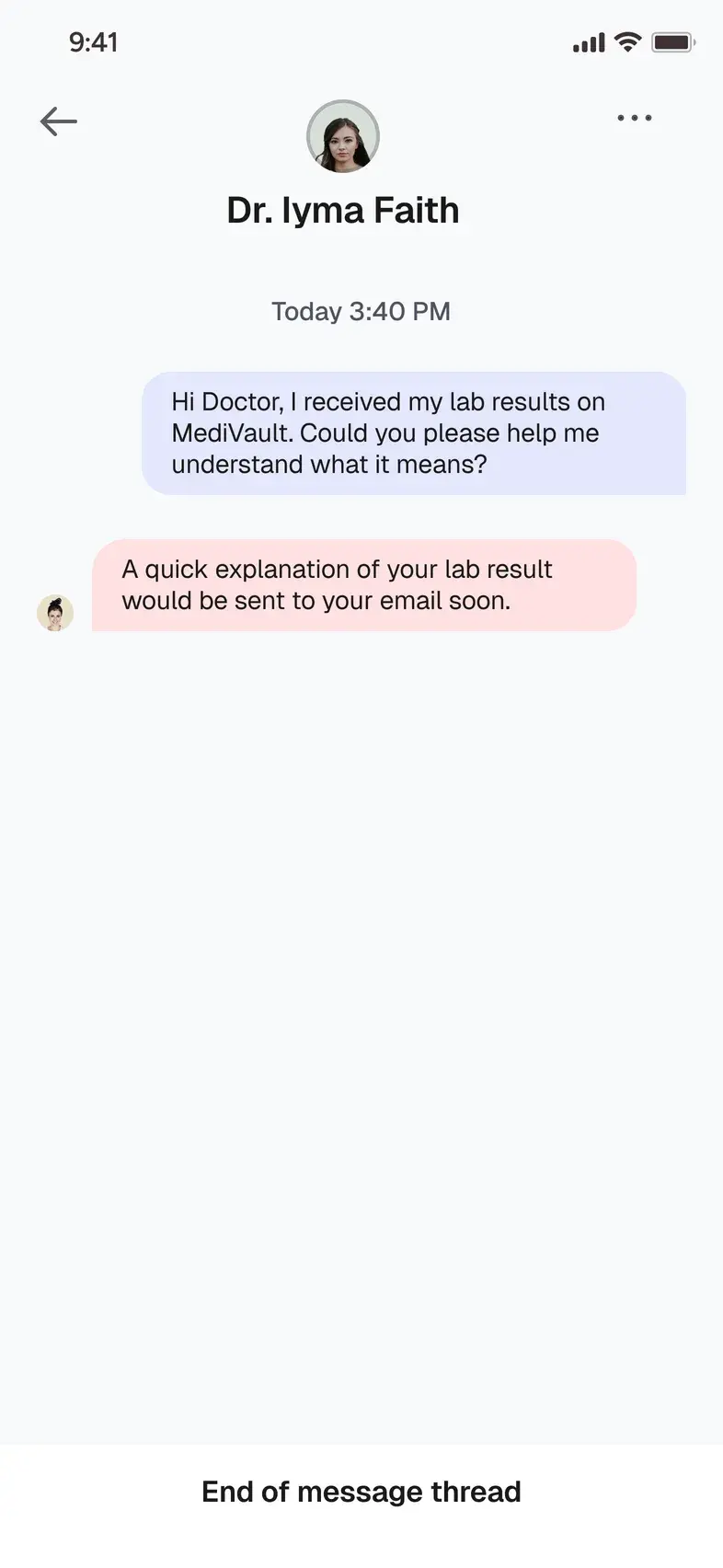
01Messages
A direct thread with the doctor, here about lab results.
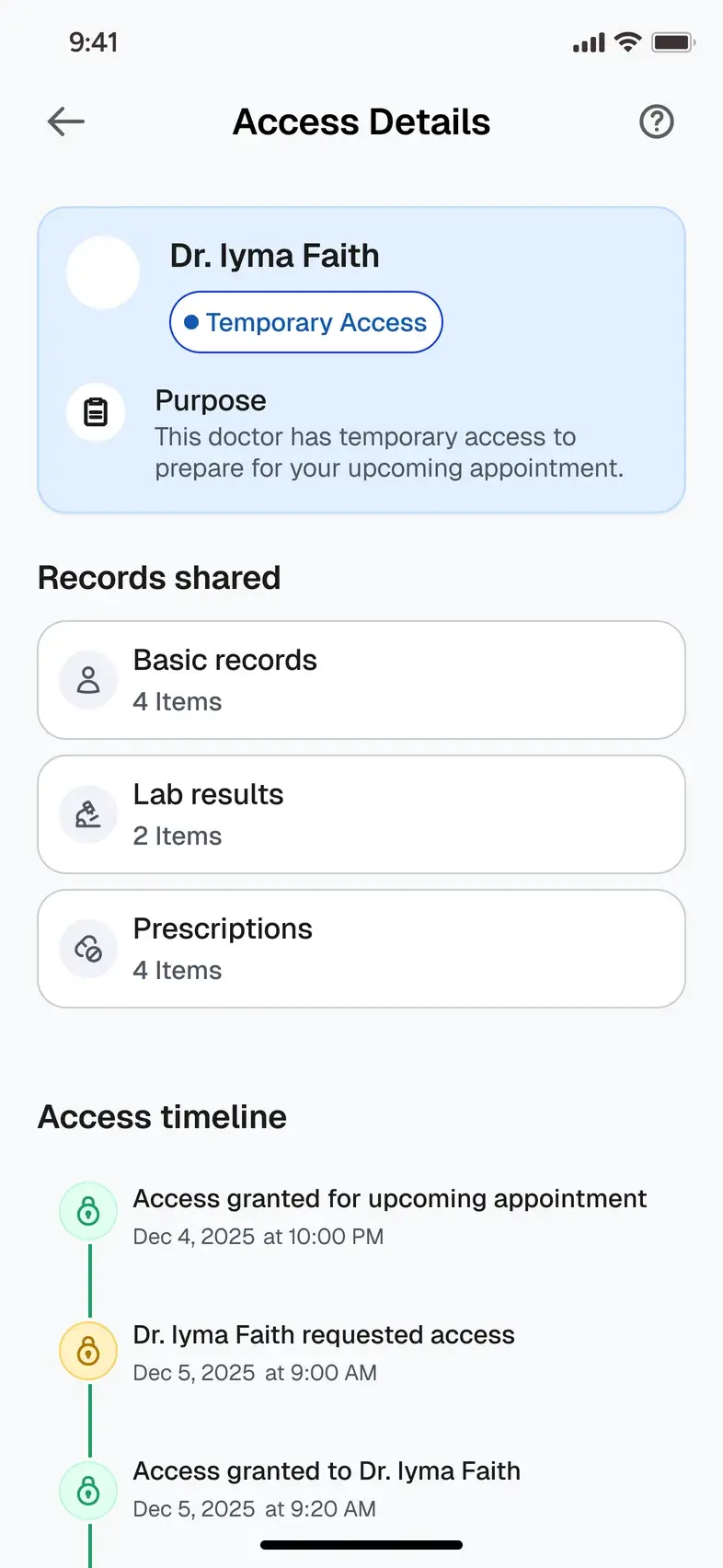
02Access details
Which doctor has temporary access and why, the records shared and when access was requested and granted.
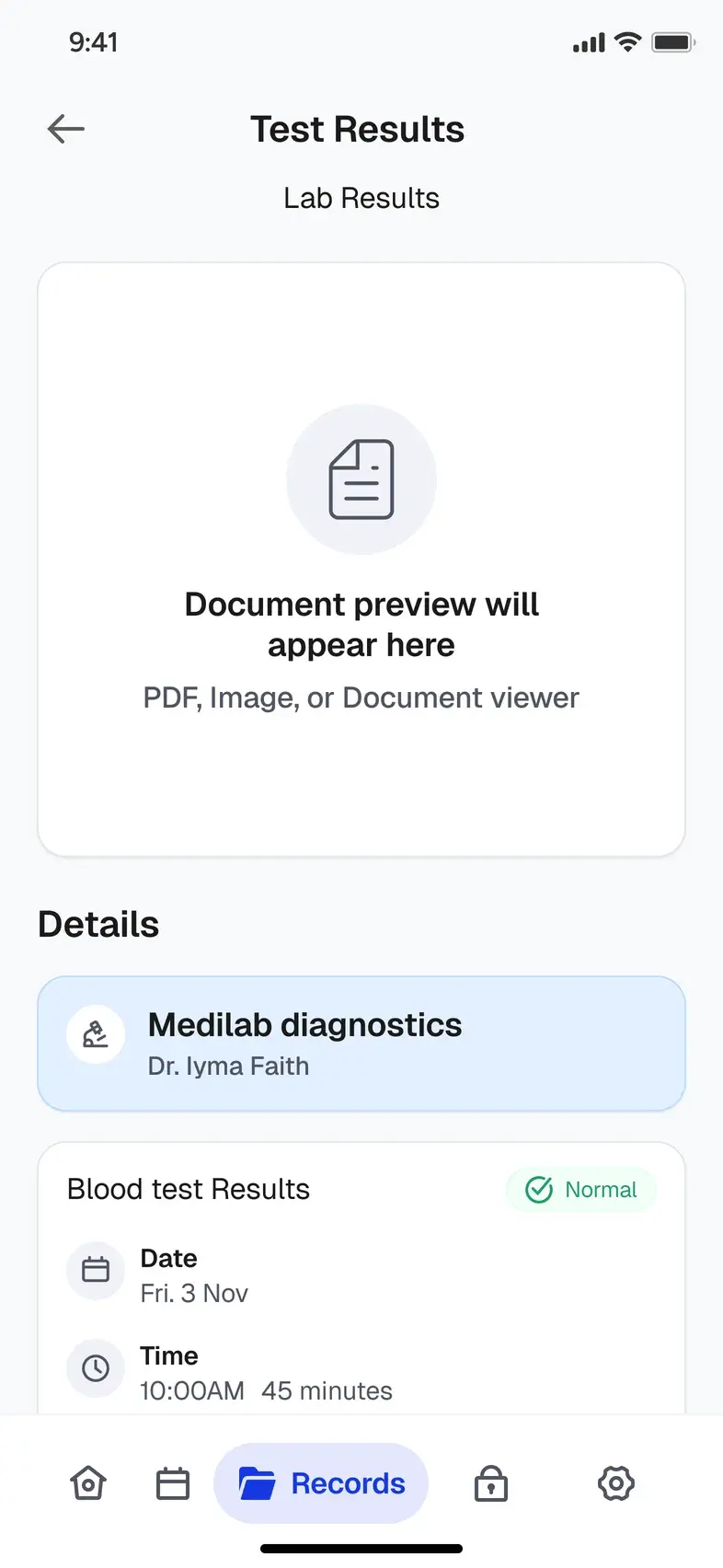
03Test results
A lab result with its lab, doctor, date and time, and room for the document itself.
Flow 05 · Payments and Medical ID
Paying, and proving who you are
Insurance and cards in one place, and a digital health ID card.
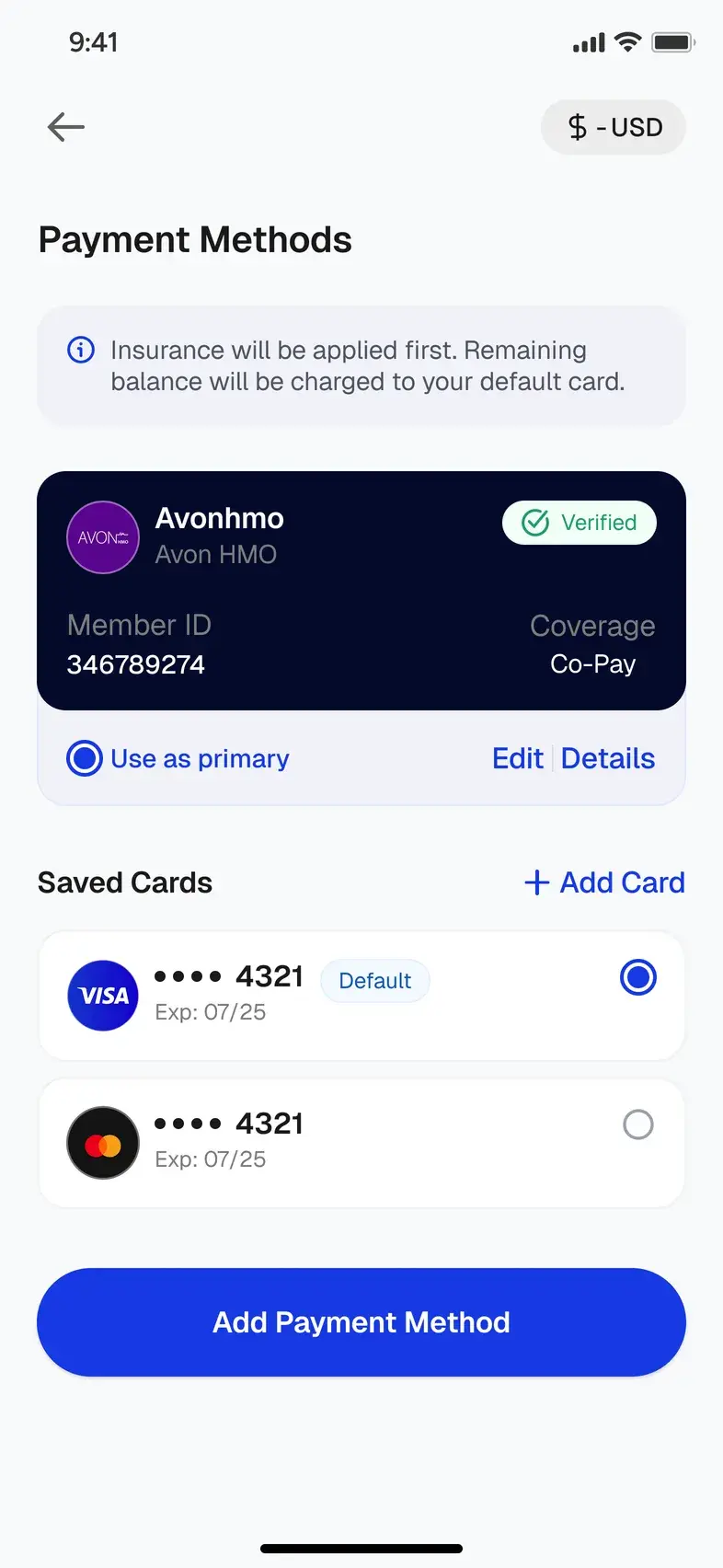
01Payment methods
Insurance is applied first and any balance goes to the default card; cards are added and changed here.
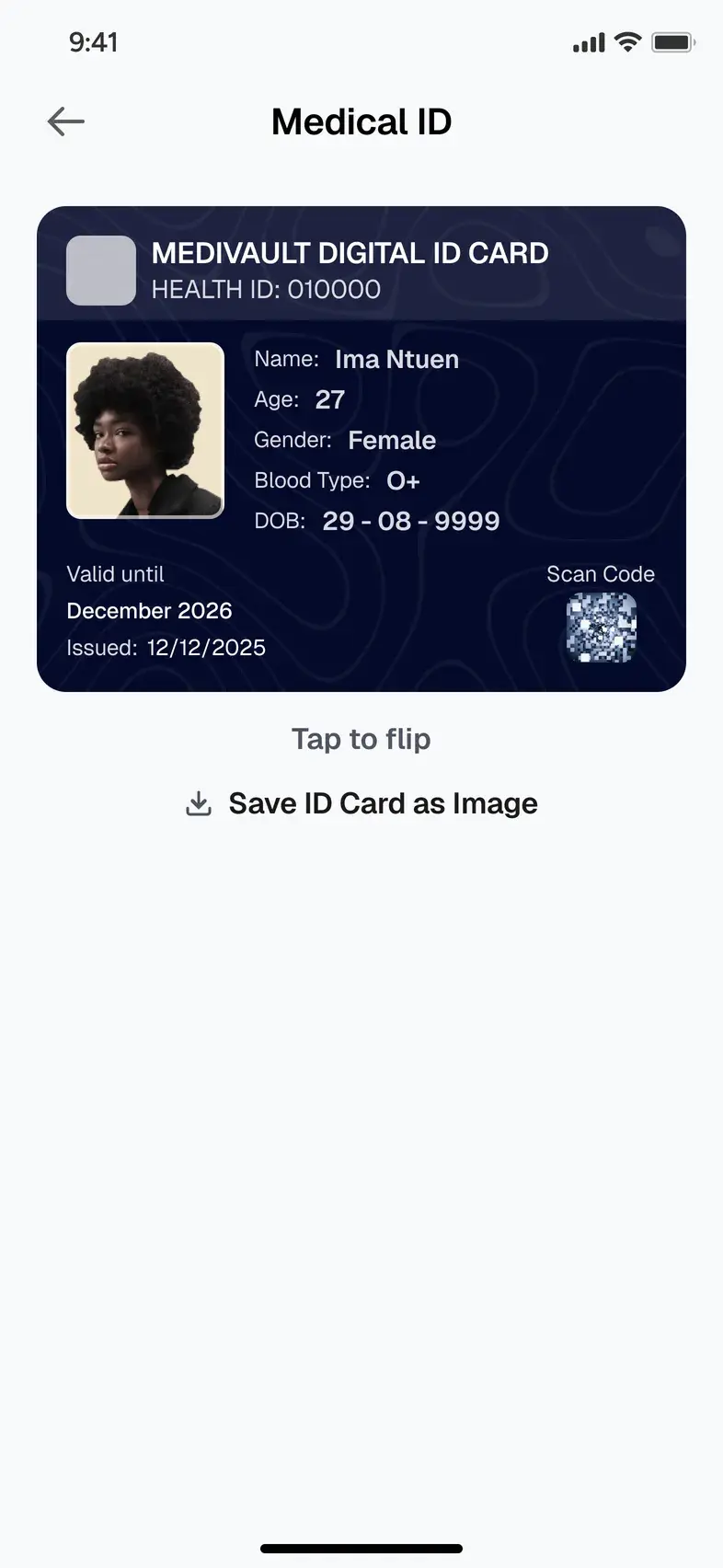
02Medical ID
The patient’s health ID, details and a code to scan, which can be saved as an image.
Outcome & learnings
What happened next
[Results, feedback from the client or users, and what you would do differently next time.]