Product design · B2B / internal tool · Web app · 2026
Artisa admin dashboard
The control room for an artisan marketplace: the dashboard Artisa’s team uses to verify artisans, match jobs and keep Lagos customers happy.
- Role
- Product designer (research, flows, UI, design system)
- Product
- Admin dashboard (web, desktop-first)
- Users
- Artisa’s operations, support and leadership team
- Timeline
- 2026
- Tools
- Figma, Paper, Claude
Project overview
Artisa is a marketplace that connects people in Lagos with trusted local artisans: plumbers, electricians, AC technicians, tailors and more. Customers post a job, and Artisa matches them with a verified artisan nearby.
This project is not the app customers or artisans use. It’s the admin dashboard behind it: the internal tool Artisa’s own team logs into every day to keep the marketplace running. From here they check new artisans before they can take jobs, make sure every job request finds the right person, sort out problems, and see how the business is doing.
The challenge and research
Before this dashboard, the team ran Artisa from WhatsApp groups and shared spreadsheets
I spoke with the operations, support and leadership team about a normal day. The same problems came up:
Key findings
- New artisans waited days to be approved, because their ID and certificates lived in chats and emails.
- Job requests slipped through the cracks. Nobody could see which ones had waited too long without a match.
- Disputes and follow-ups depended on someone remembering them.
- Leadership had no single place to see demand, supply and revenue.
The problem
How might we give a small team one place to approve artisans, match every job quickly and spot problems early, without needing training to use it?
The solution and strategy
One calm workspace with a clear job for every page
The Dashboard says what needs attention today. Applications turns approving an artisan into a 4-minute checklist. Job requests flags anything waiting over 24 hours and suggests the best nearby artisans. Tasks keeps follow-ups from being forgotten, and Analytics shows demand, supply and revenue in plain numbers.
Everything needs-attention first
One place for each job
Plain words, real numbers
Built from one design system
Inside Artisa
Scroll inside a screen to see the whole page.
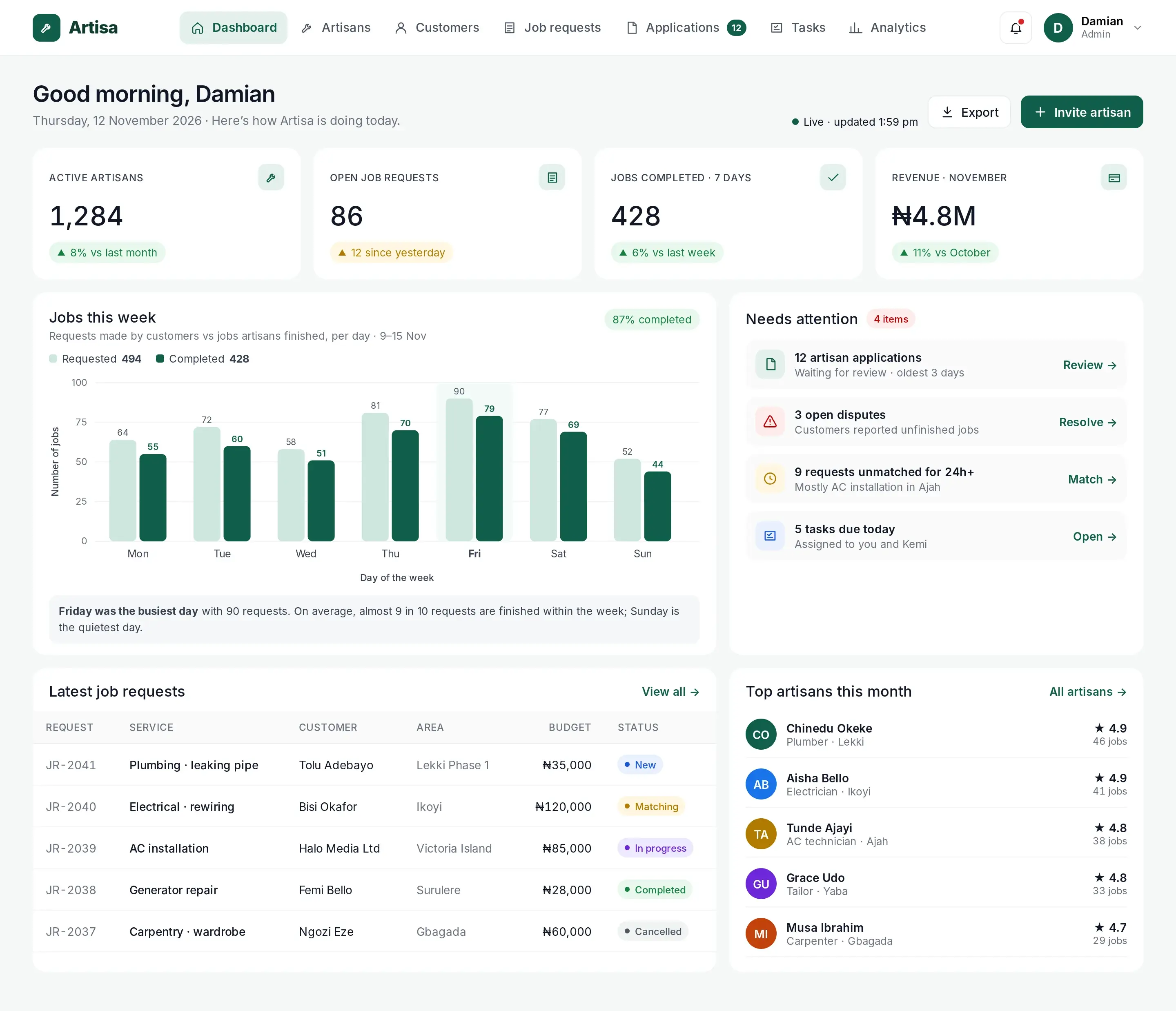
Dashboard
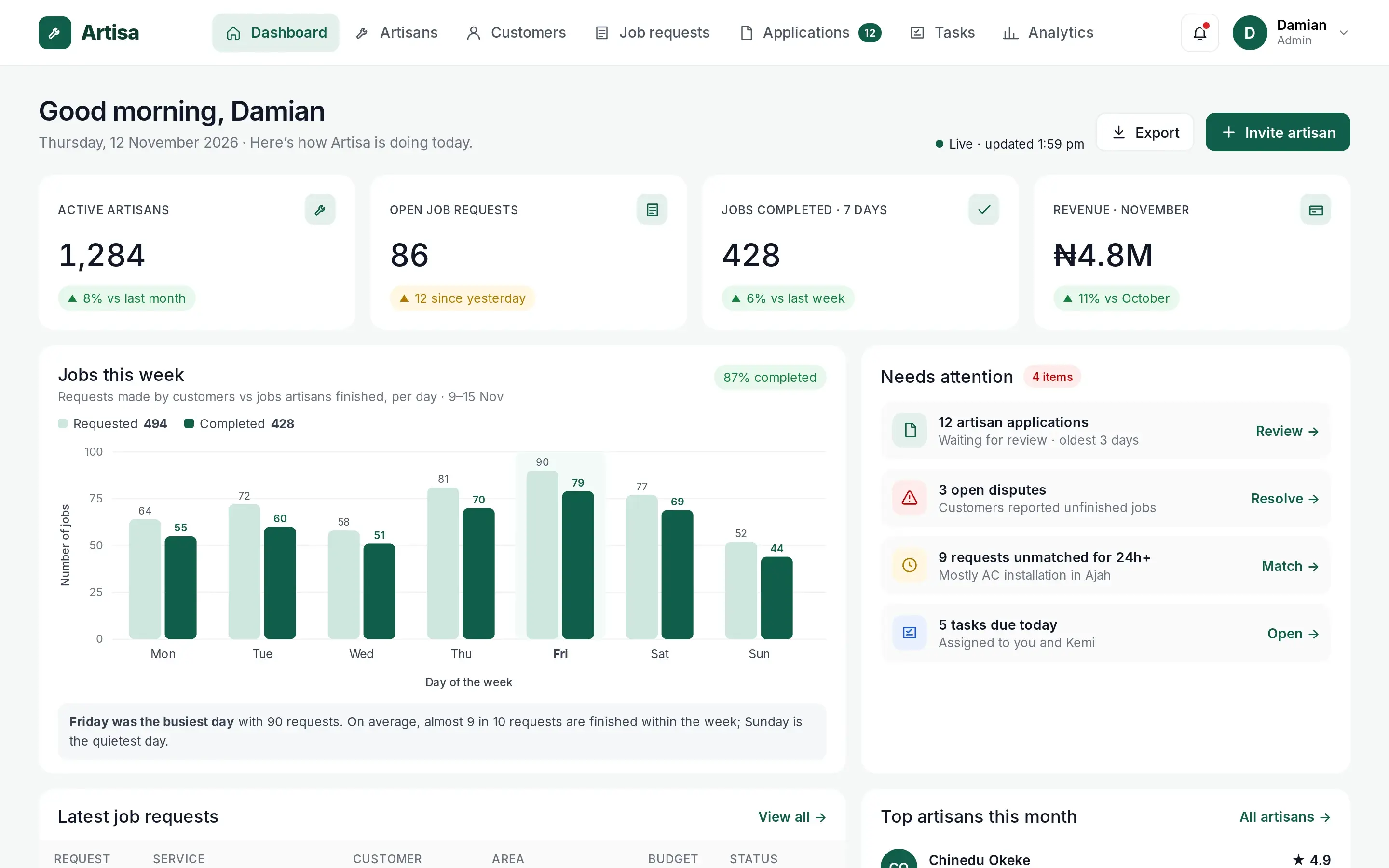
The first screen each morning: active artisans, open requests, jobs completed and revenue, a chart of this week’s jobs with real numbers on every bar, and a short list of what needs attention today.
Scroll inside a screen to see the whole page.
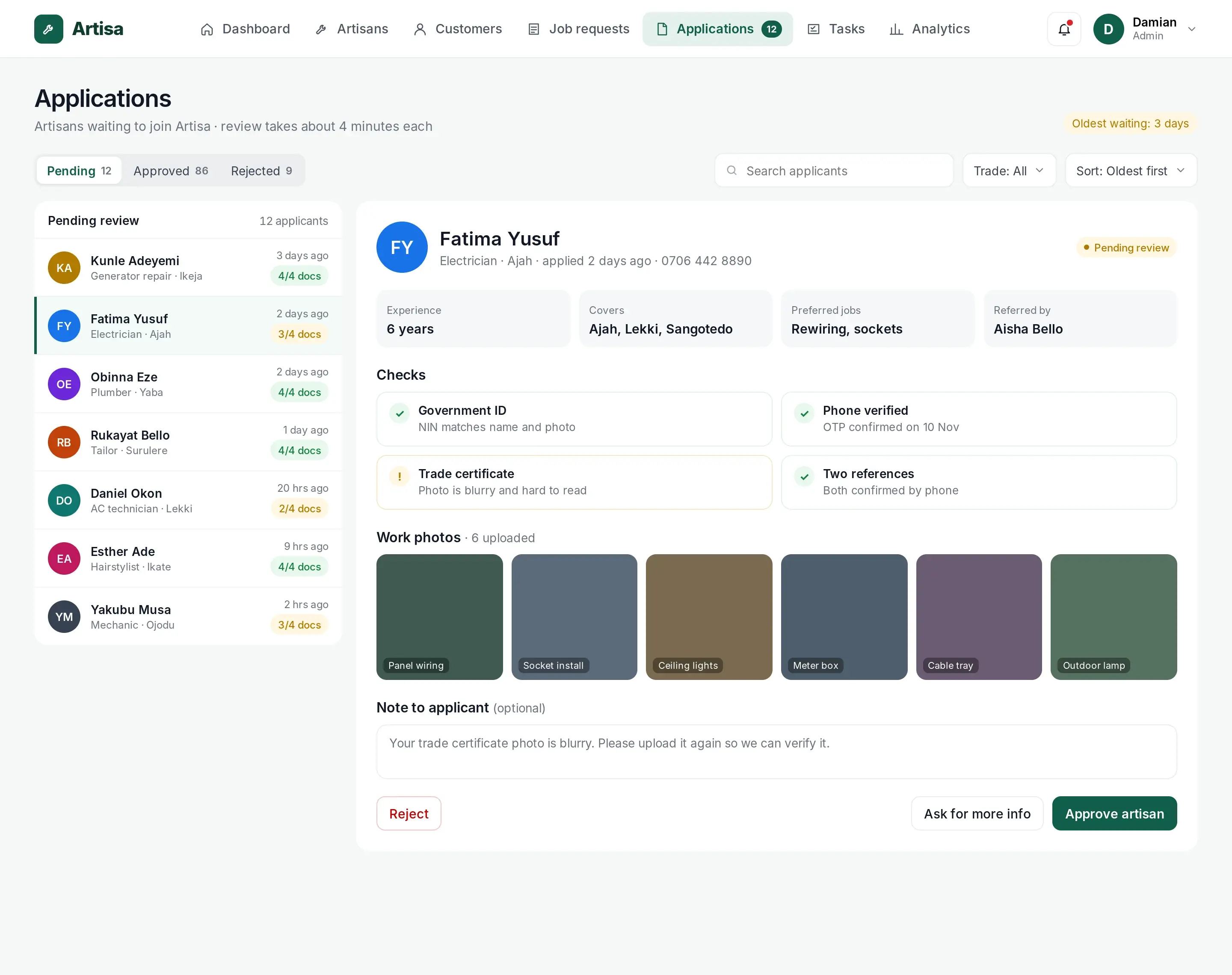
Applications
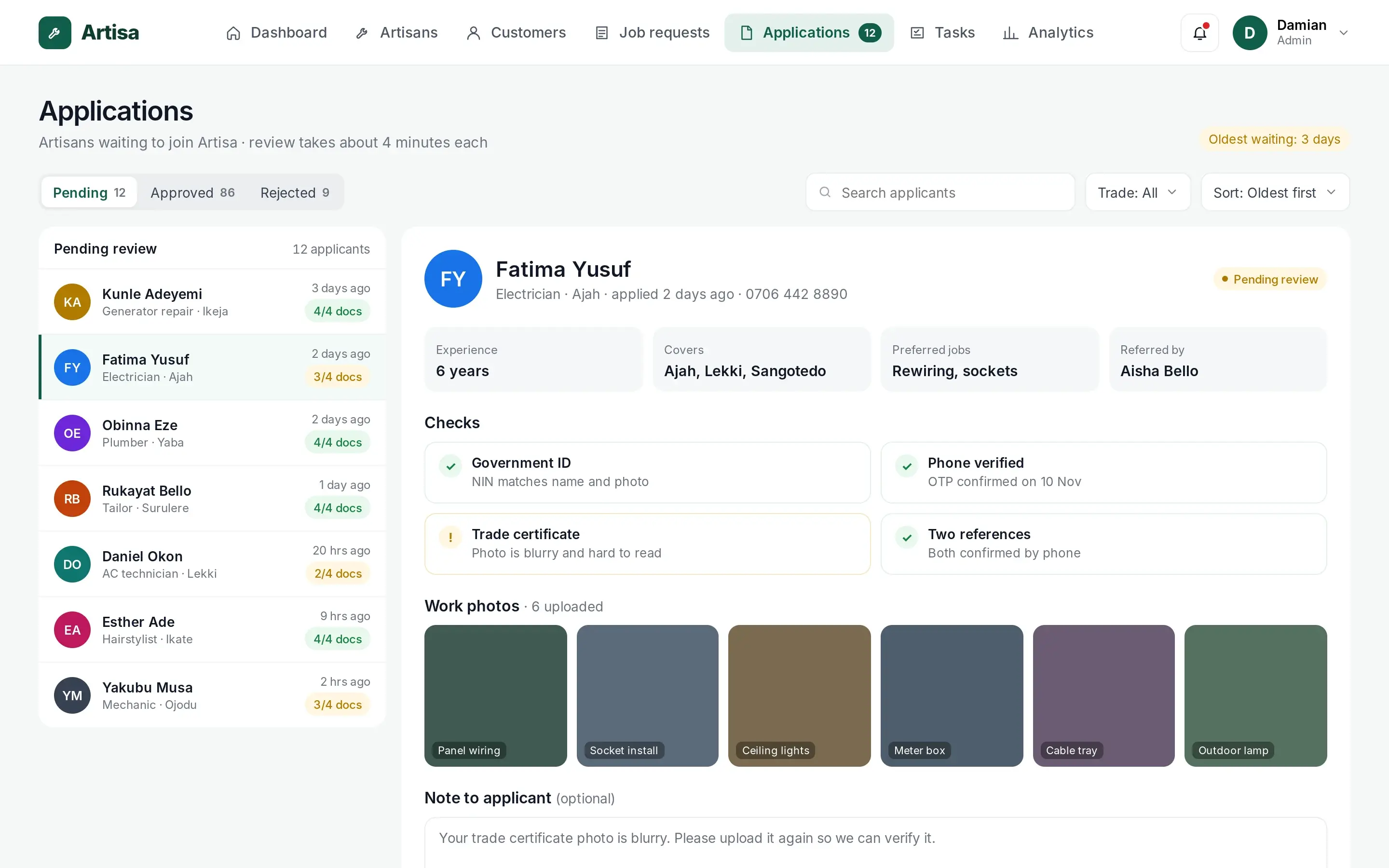
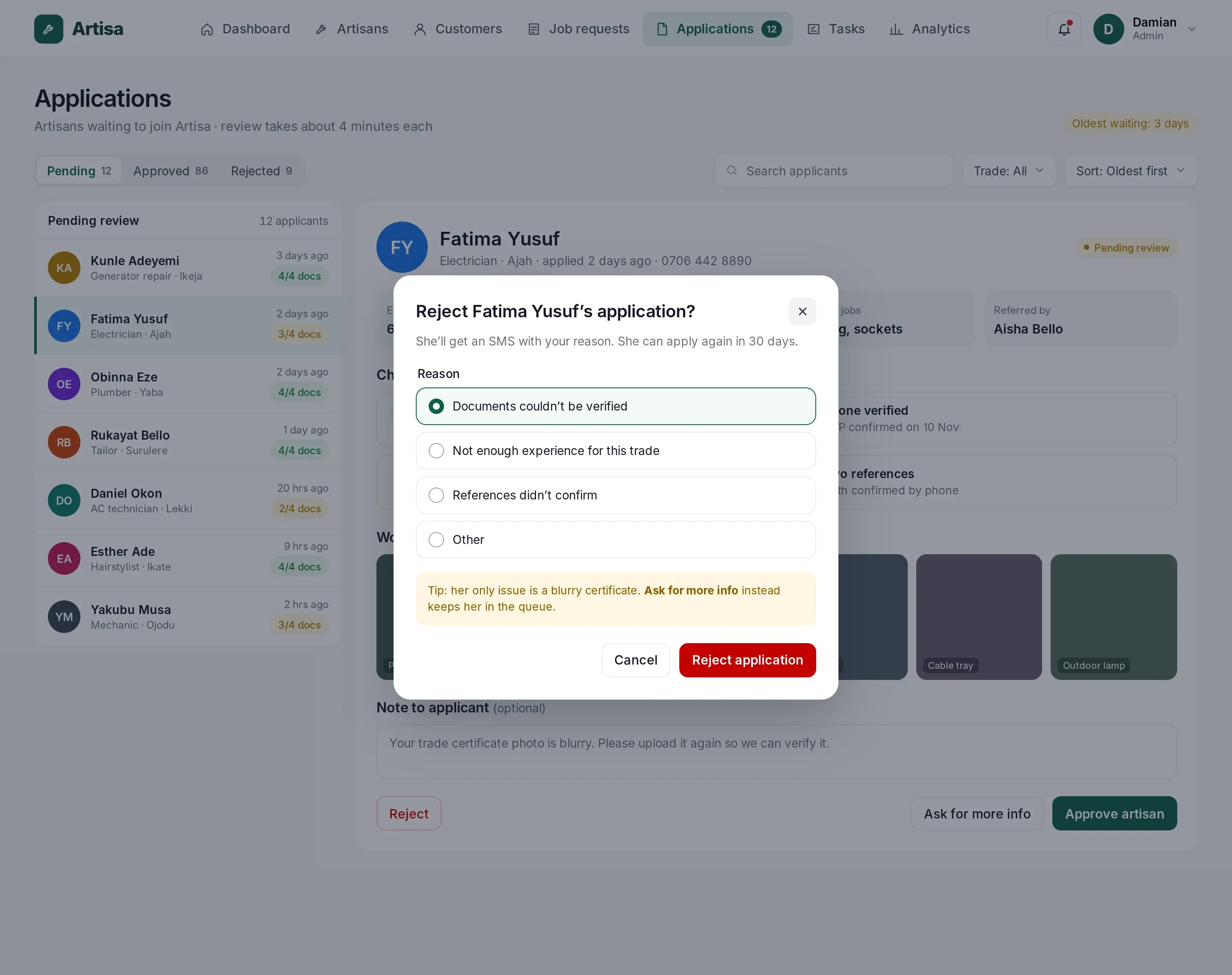
New artisans are reviewed in one place: ID, phone, trade certificate and references are checked automatically, and work photos sit beside them. Rejecting asks for a reason the artisan will see, and suggests asking for more information when the problem is fixable.
Scroll inside a screen to see the whole page.
Job requests
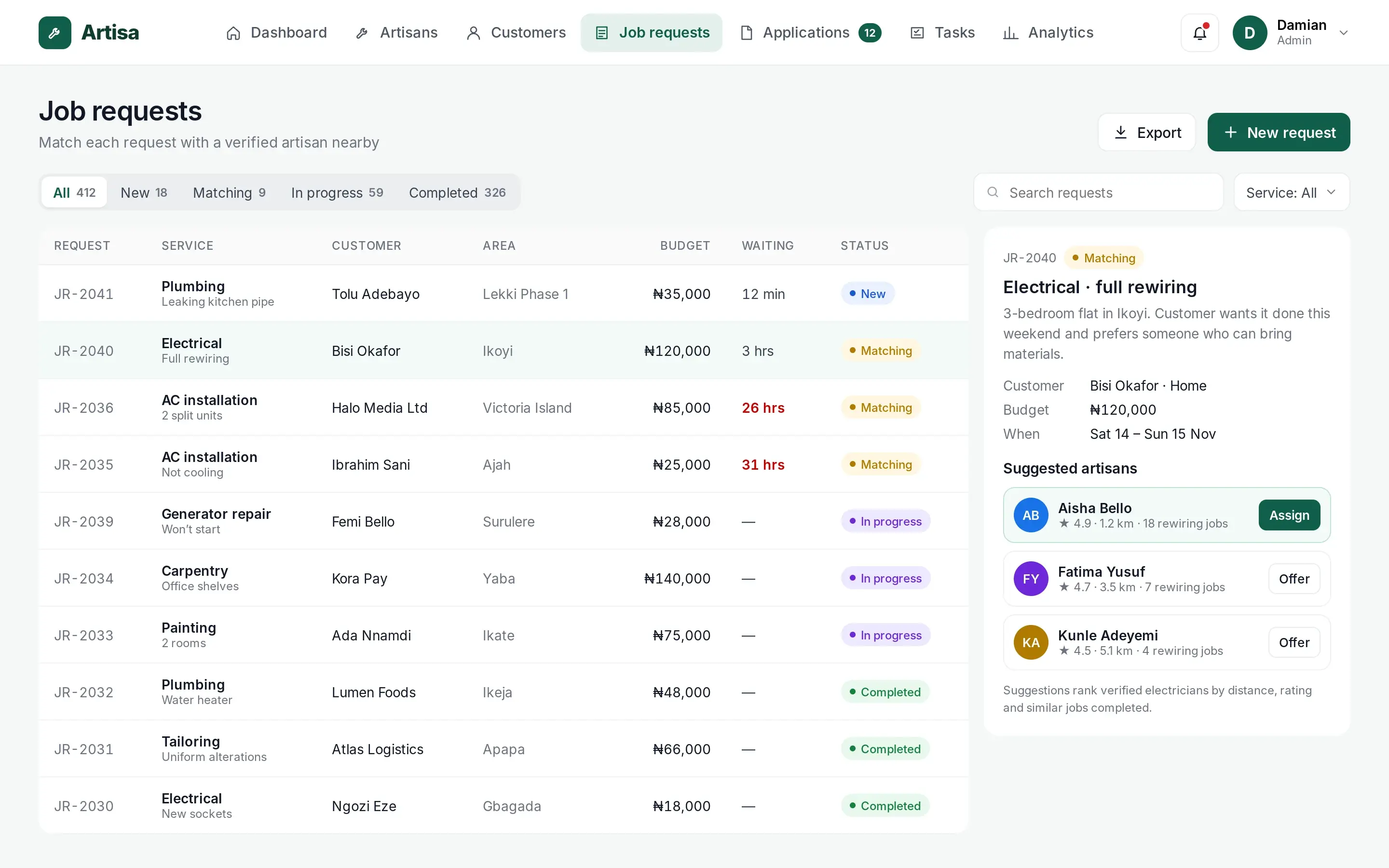
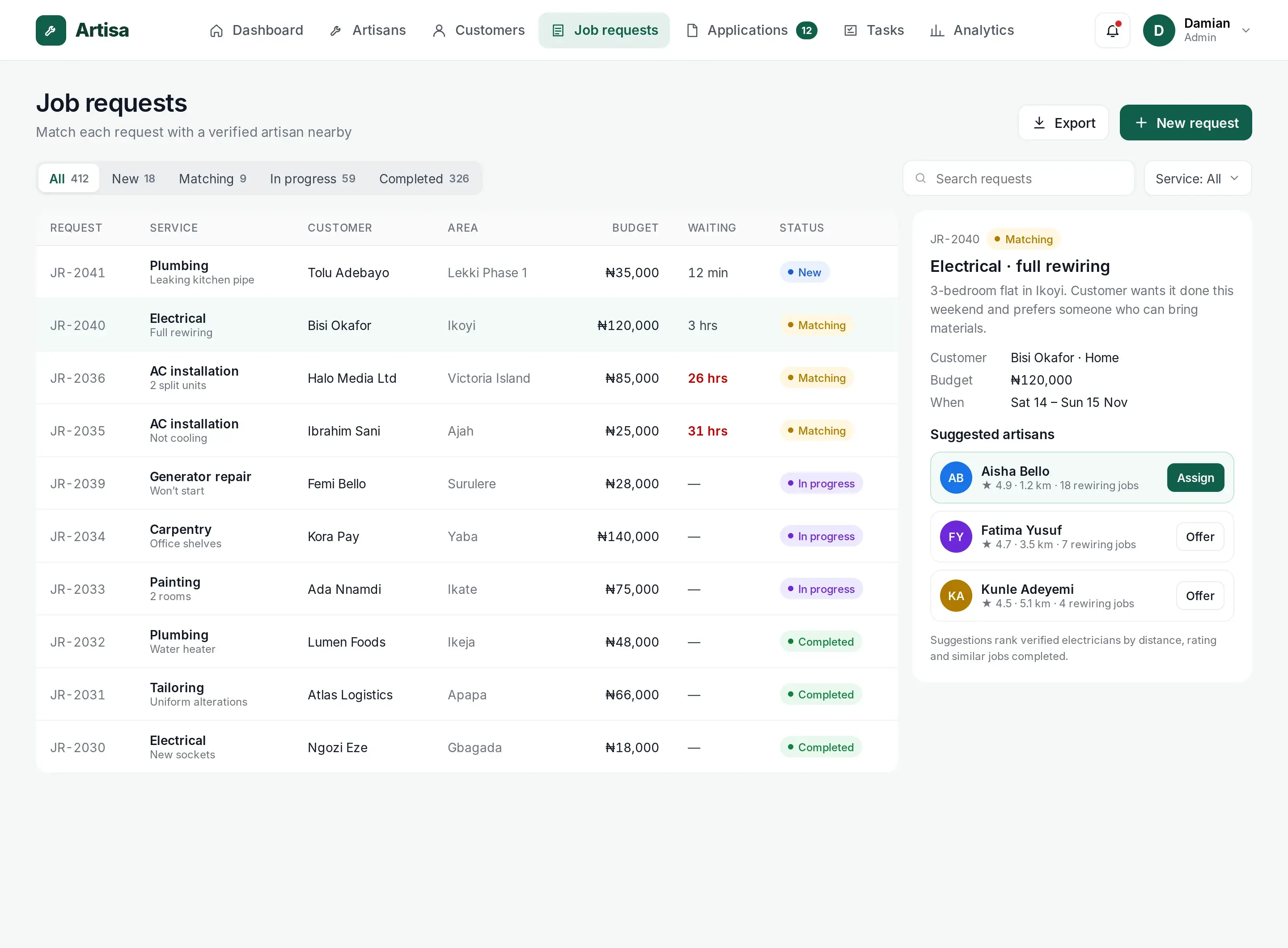
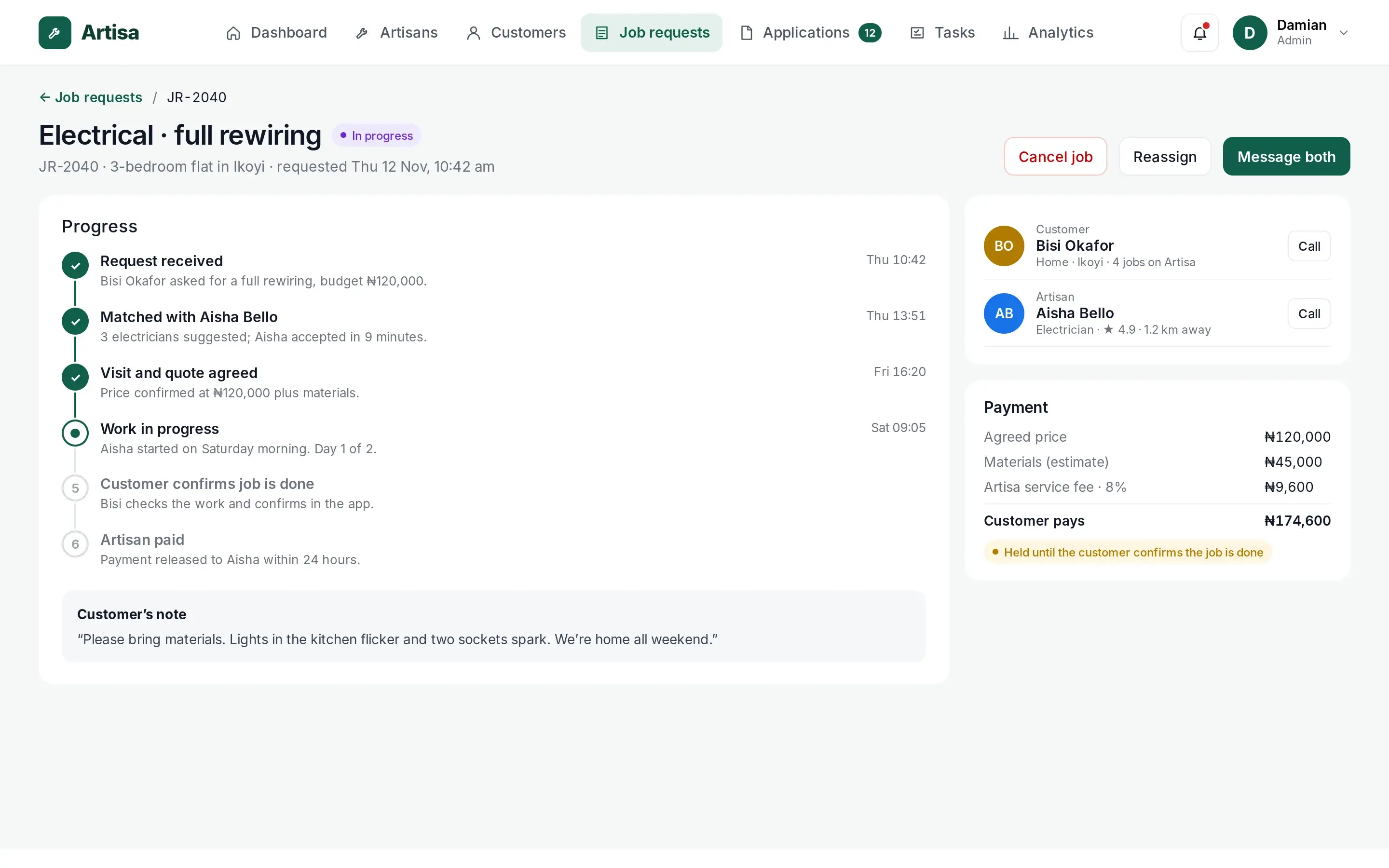
Every request with its status. Anything waiting 24 hours or more turns red, and the side panel suggests the best nearby artisans by distance, rating and similar jobs. Once matched, the job page shows its progress and exactly what the customer pays.
Scroll inside a screen to see the whole page.
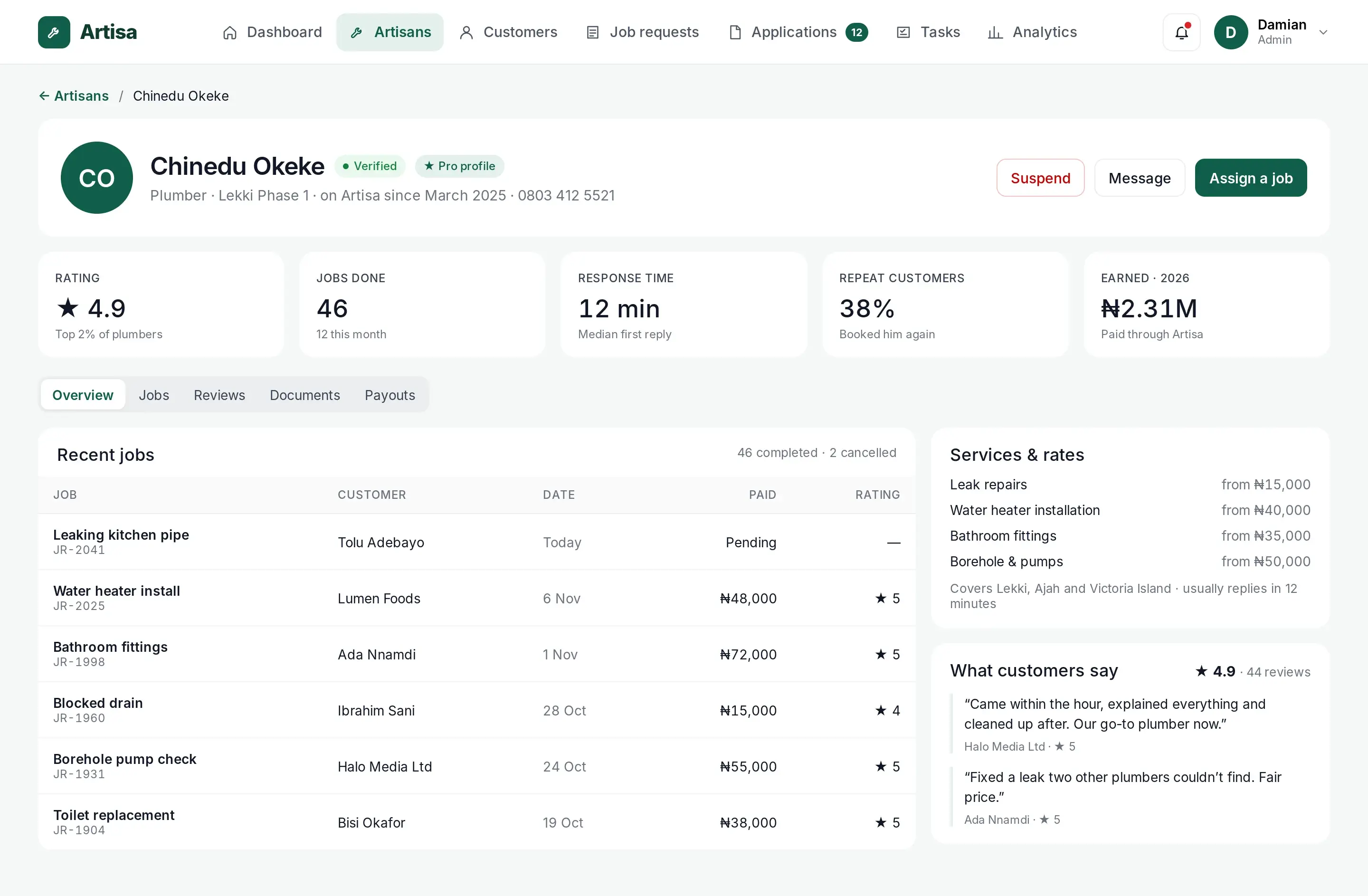
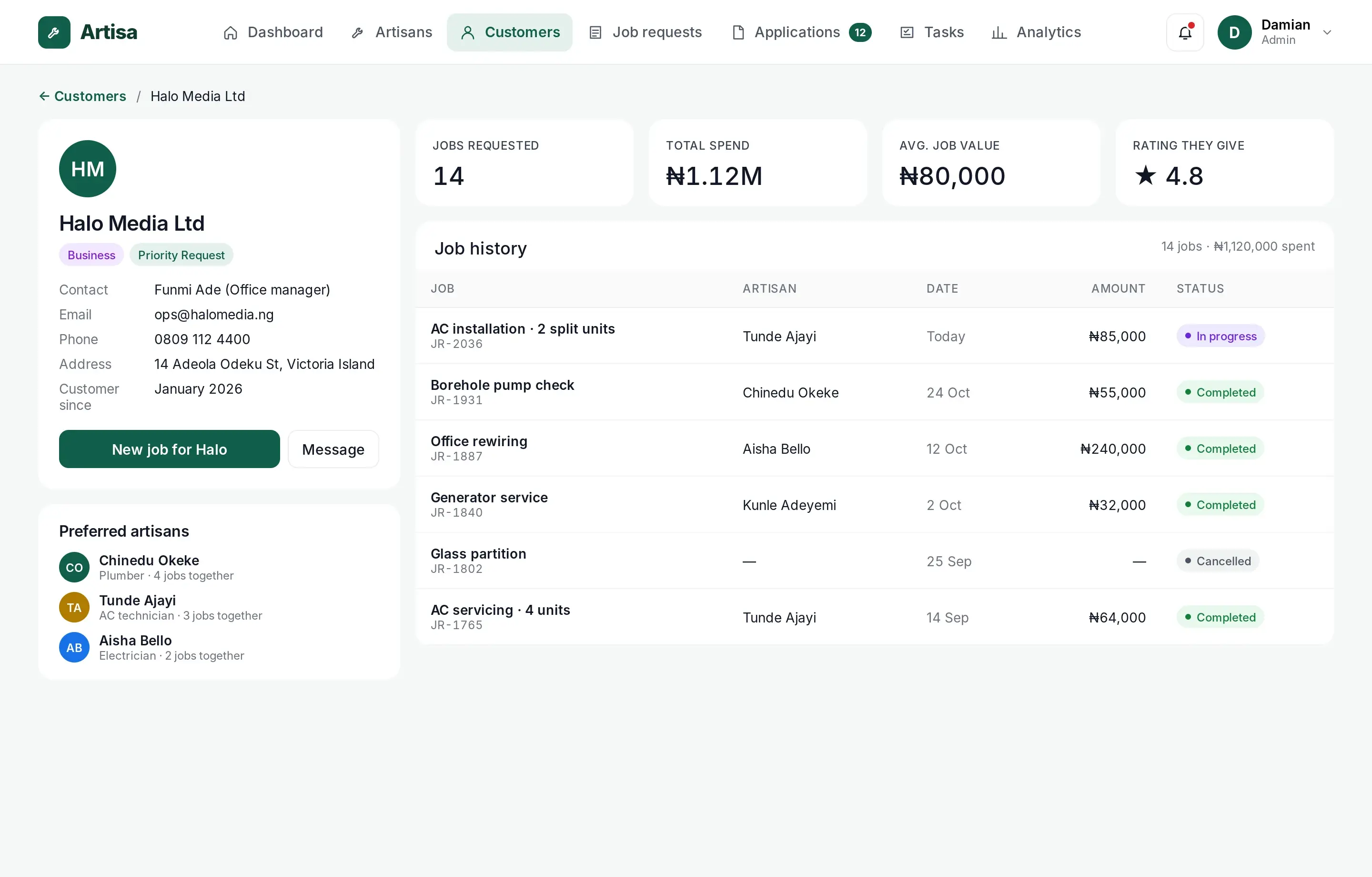
Artisans and customers
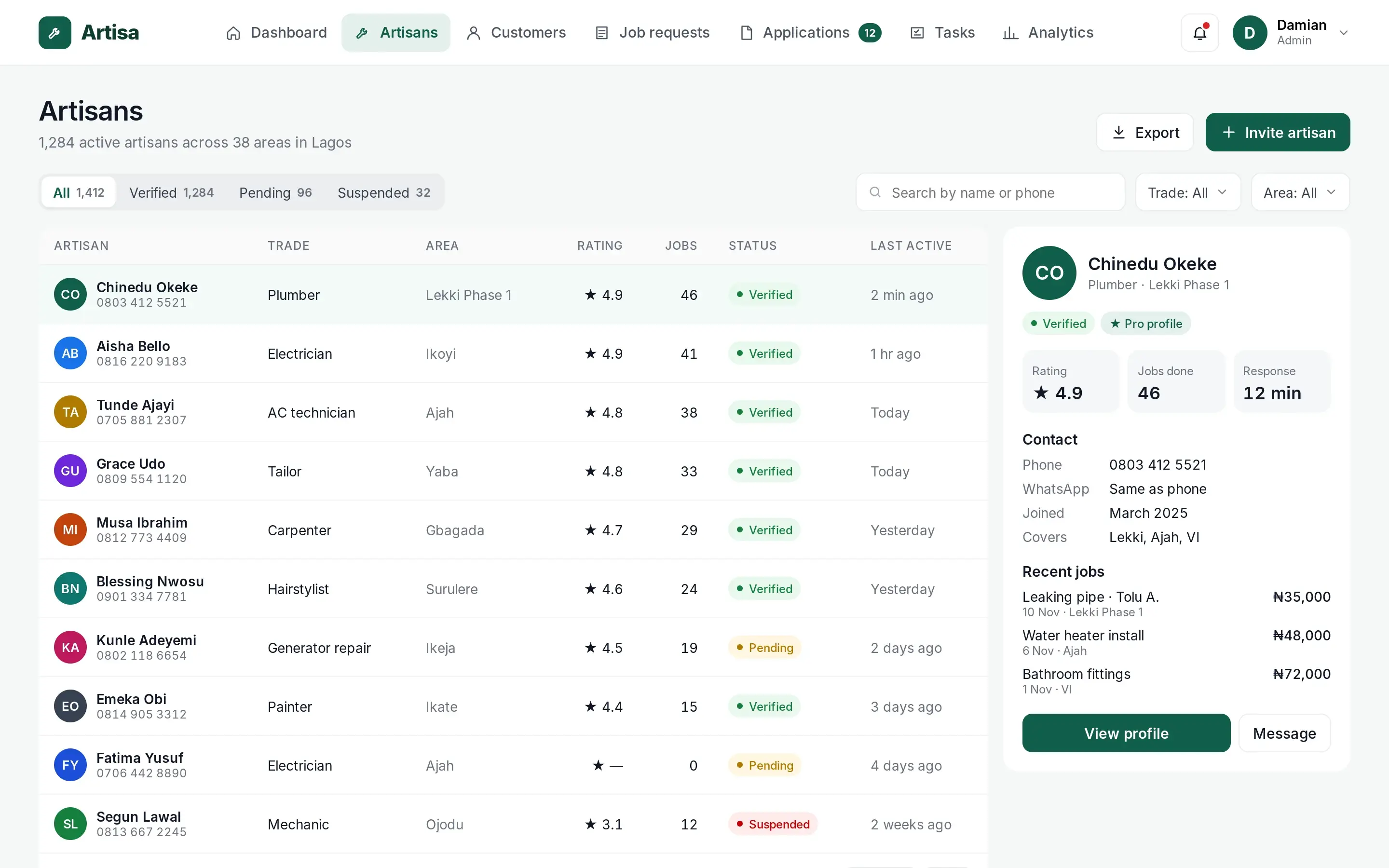
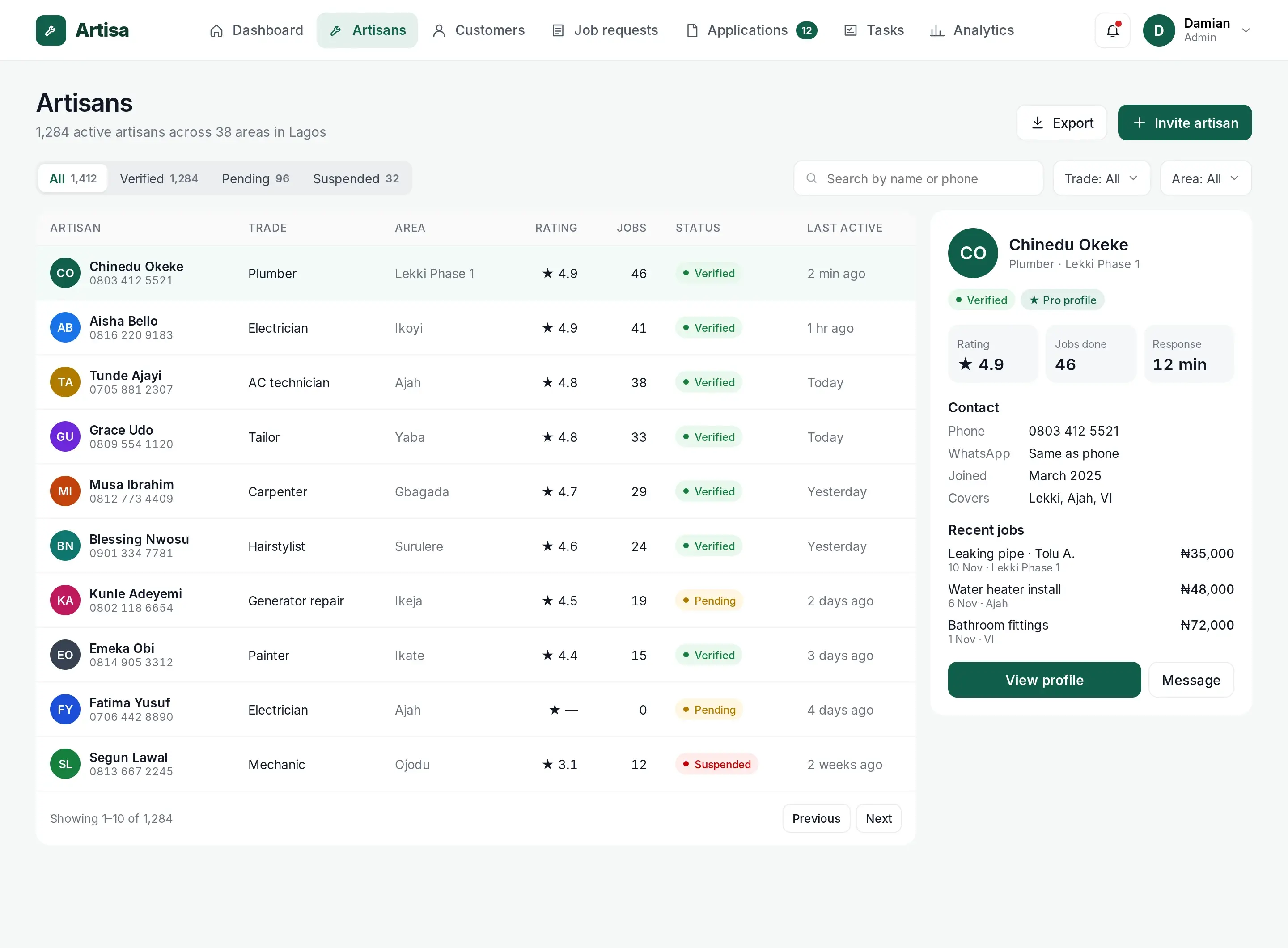
Profiles the team can trust: ratings, response time, jobs, reviews and payouts for artisans; history, spend and preferred artisans for customers.
Scroll inside a screen to see the whole page.
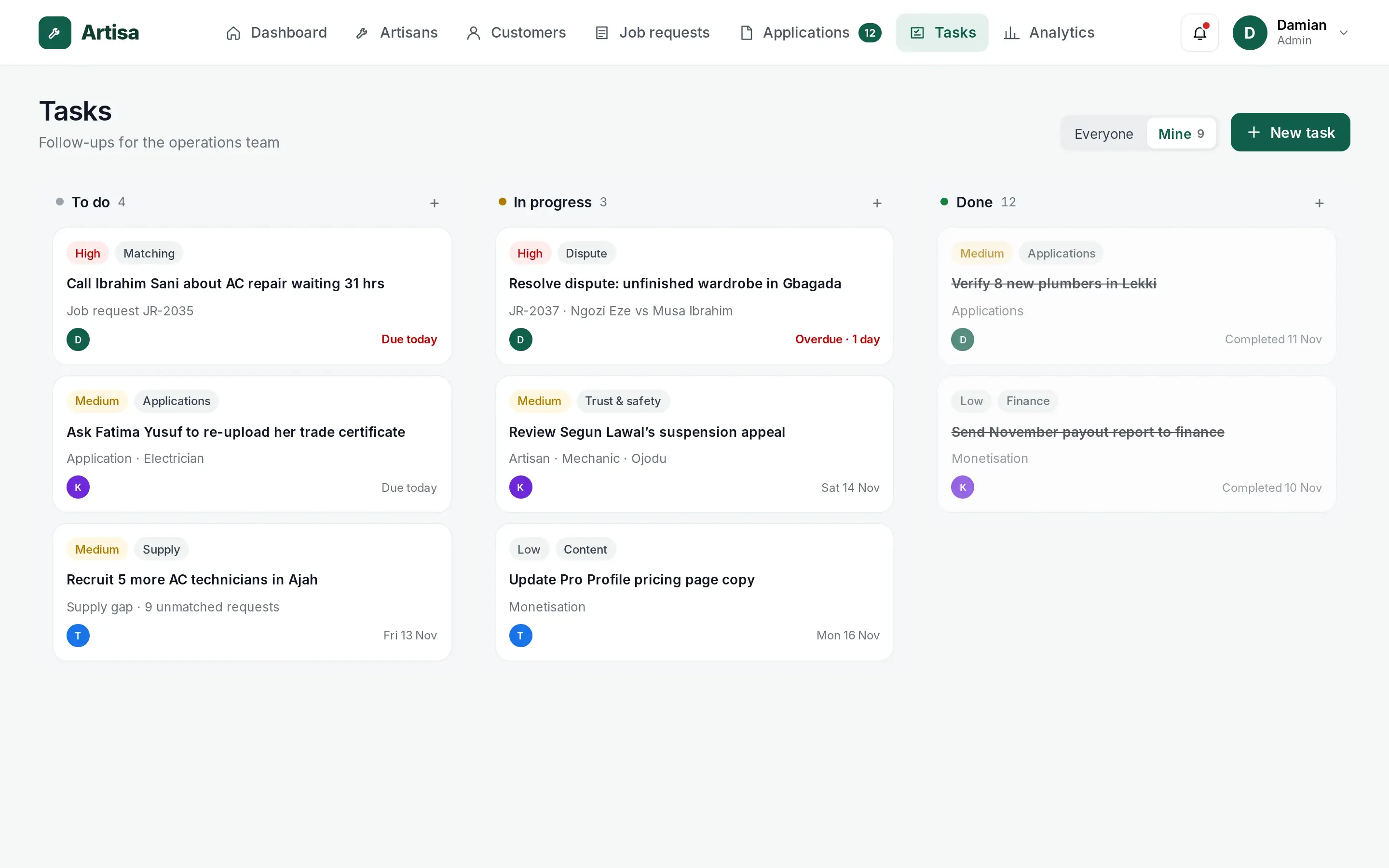
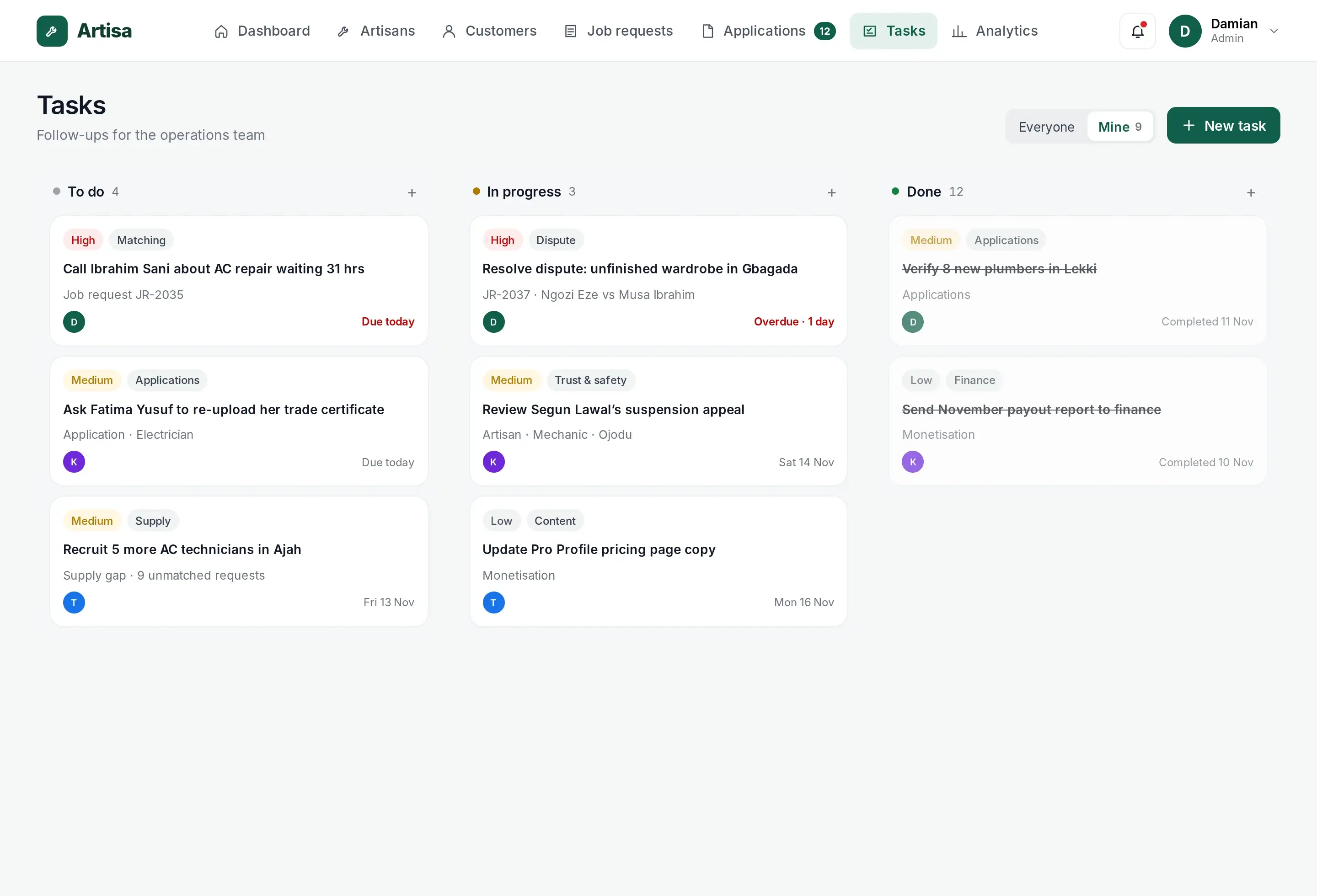
Tasks
A simple board for follow-ups, so calls and checks never live only in someone’s head.
Scroll inside a screen to see the whole page.
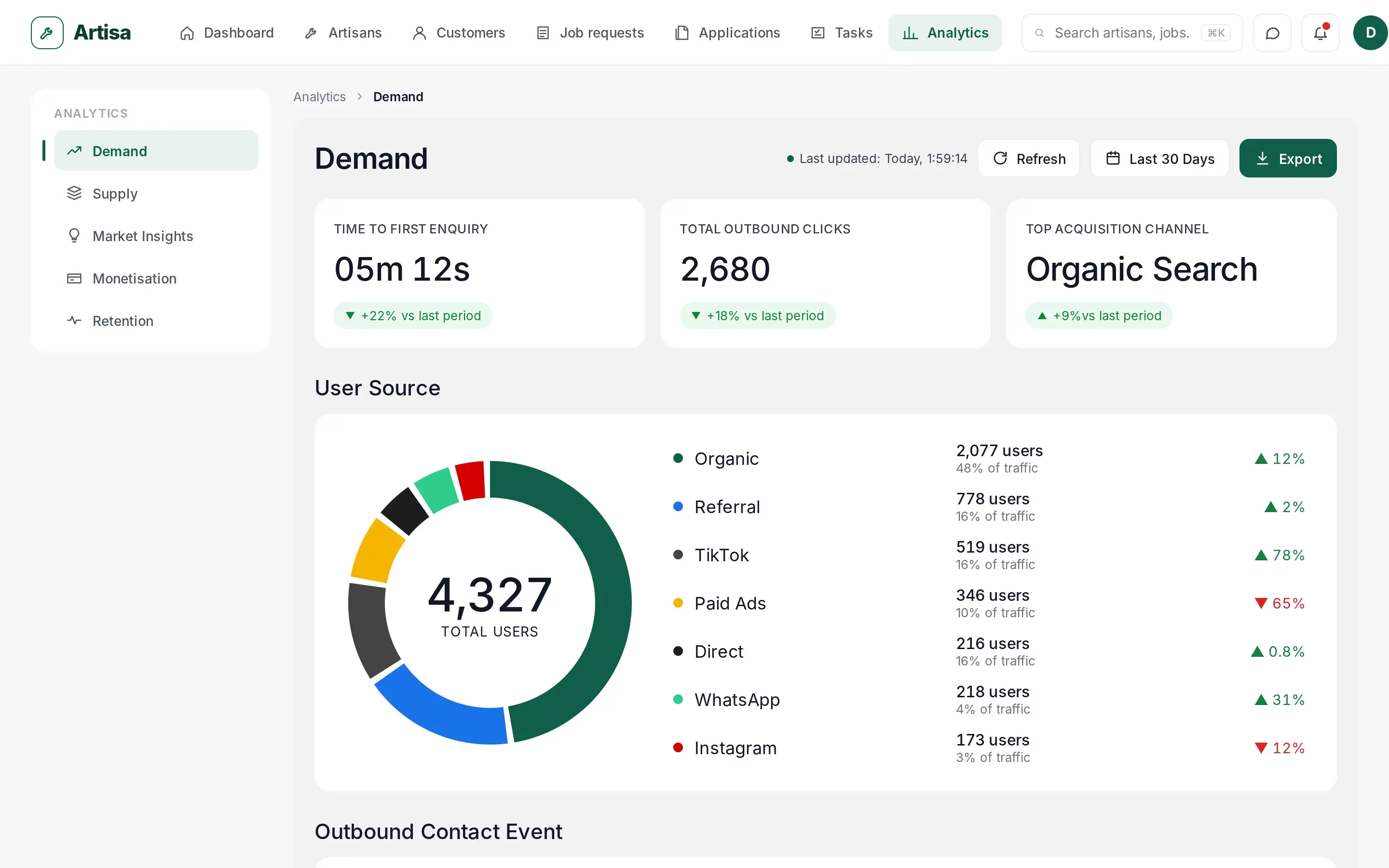
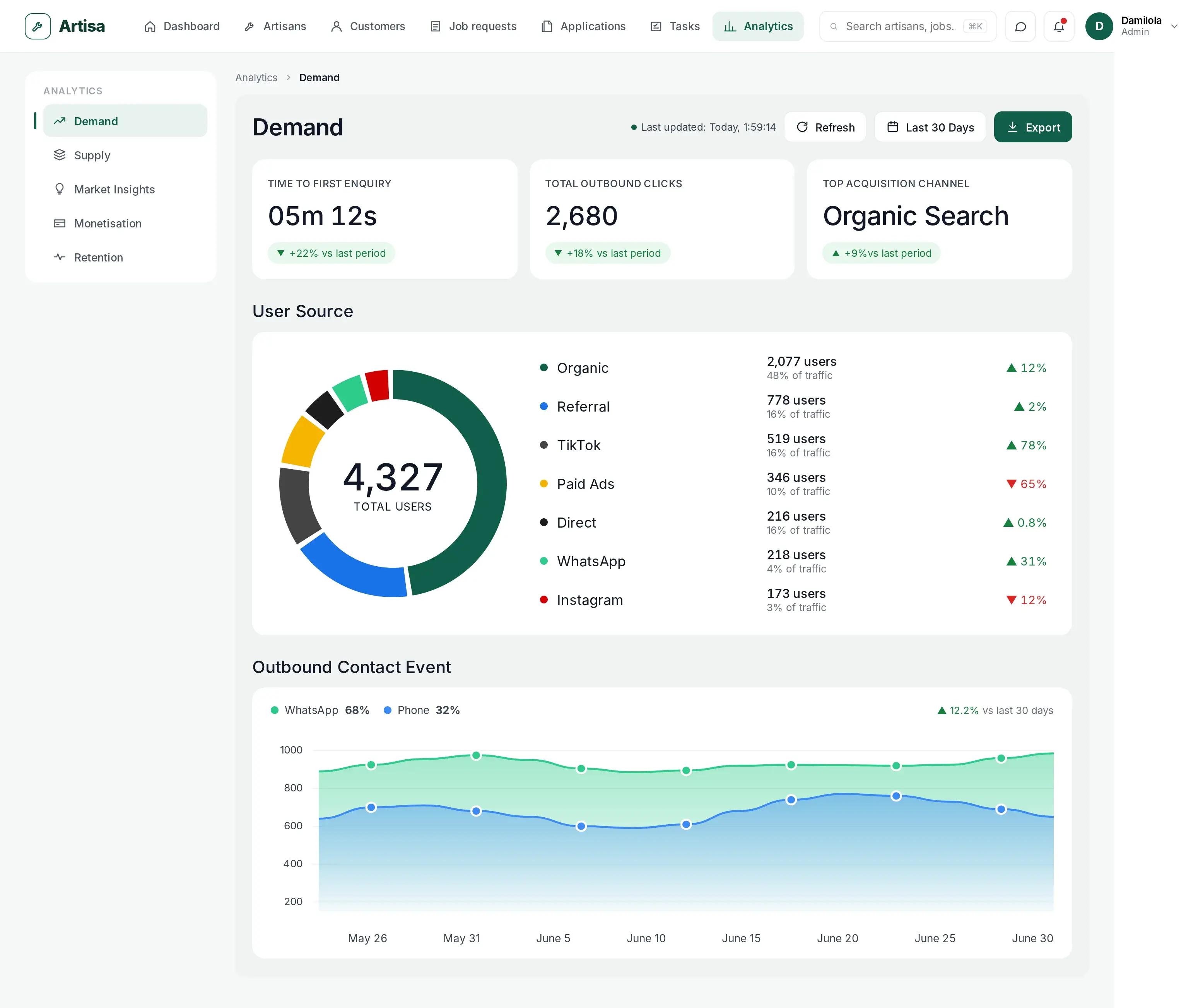
Analytics
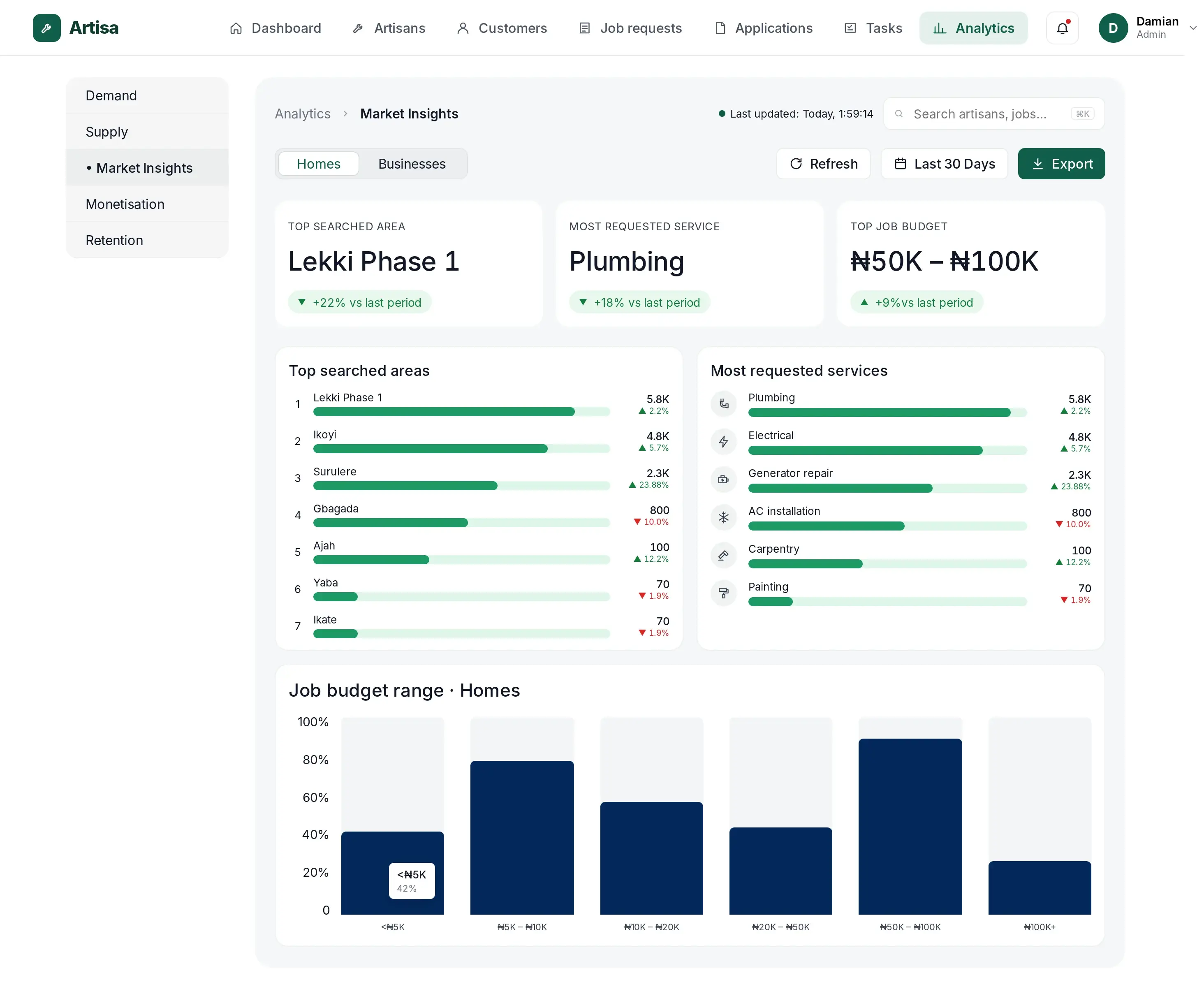
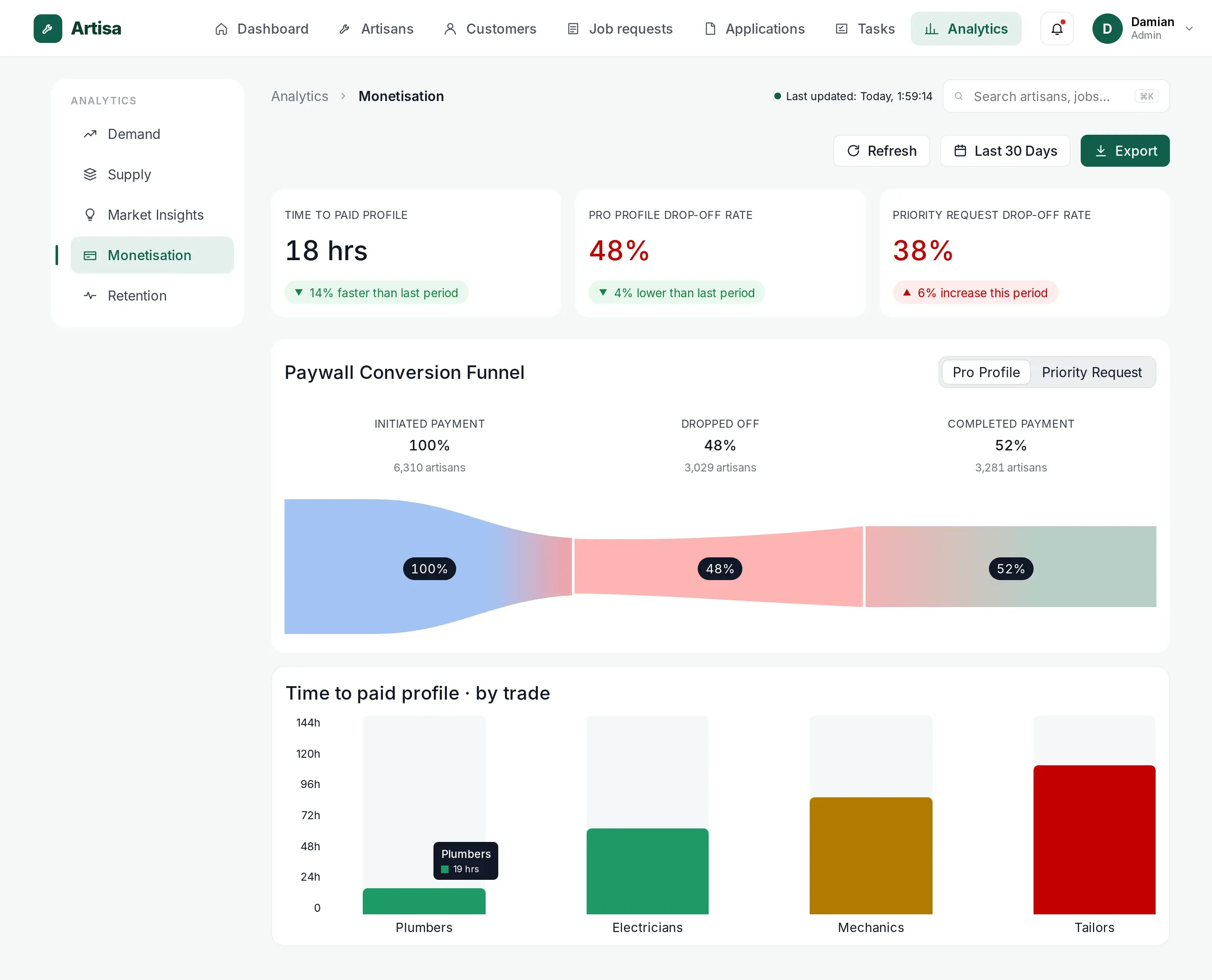
Demand, supply, what customers search for, and how paid plans convert, explained in plain numbers.
Onboarding
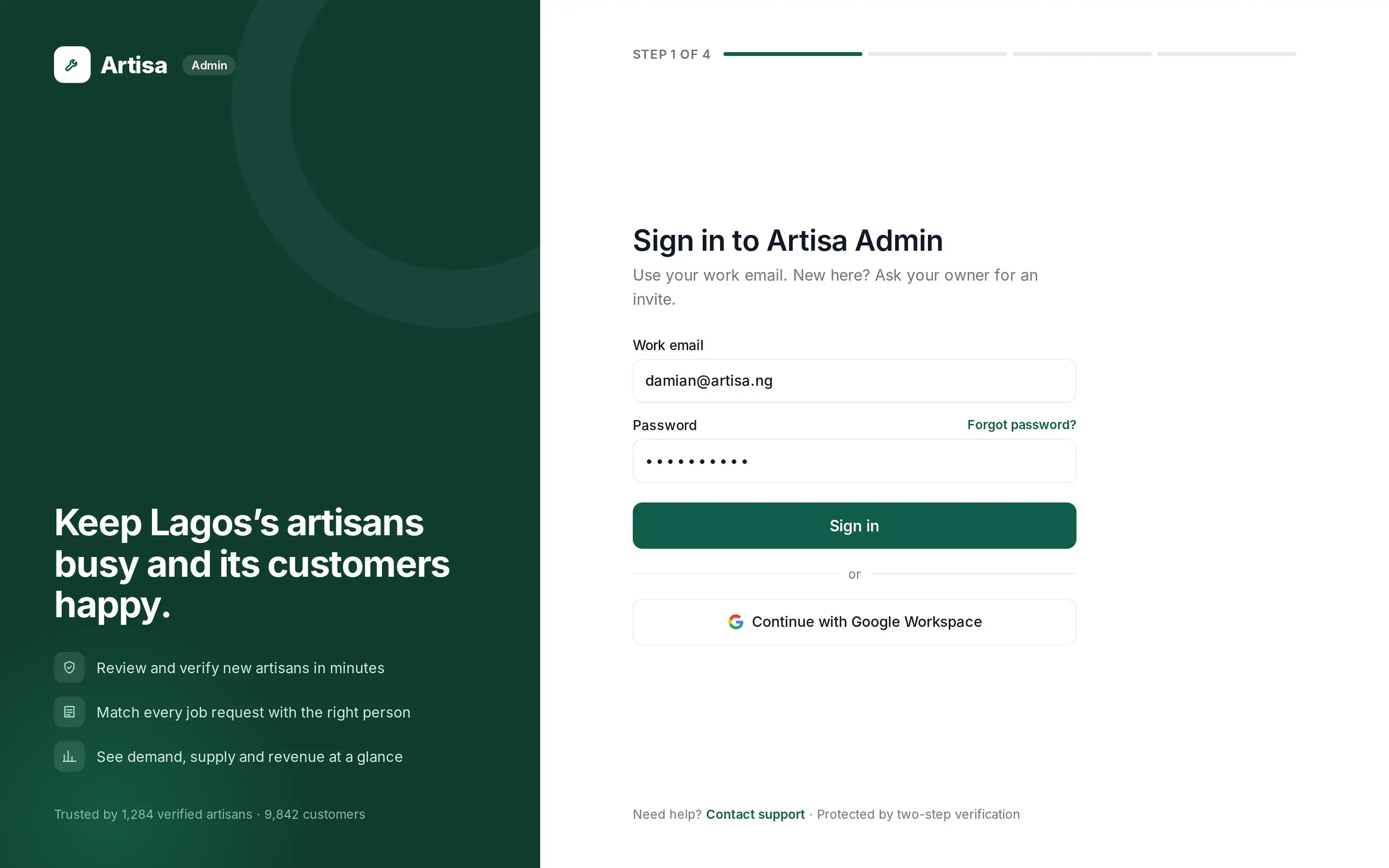
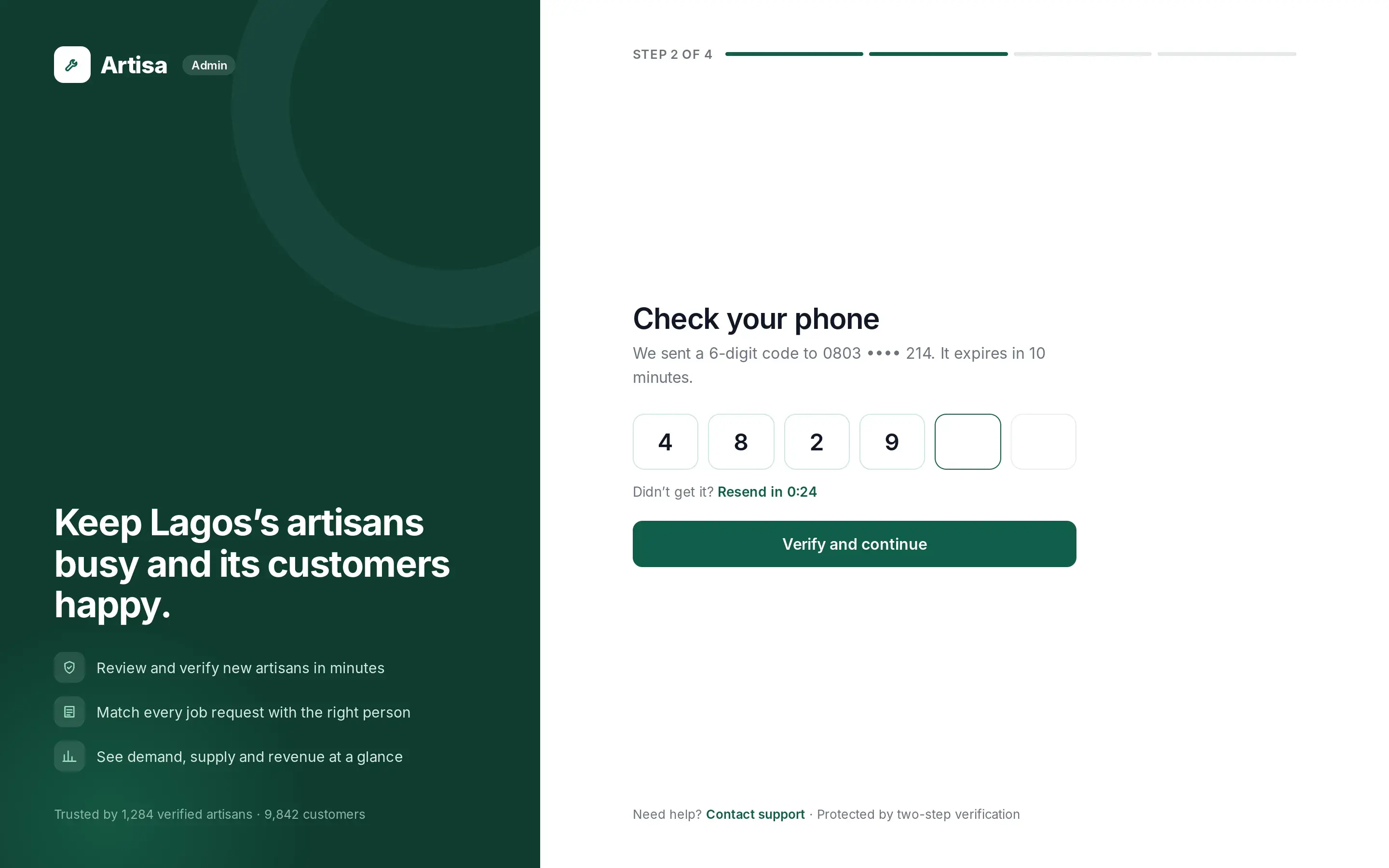
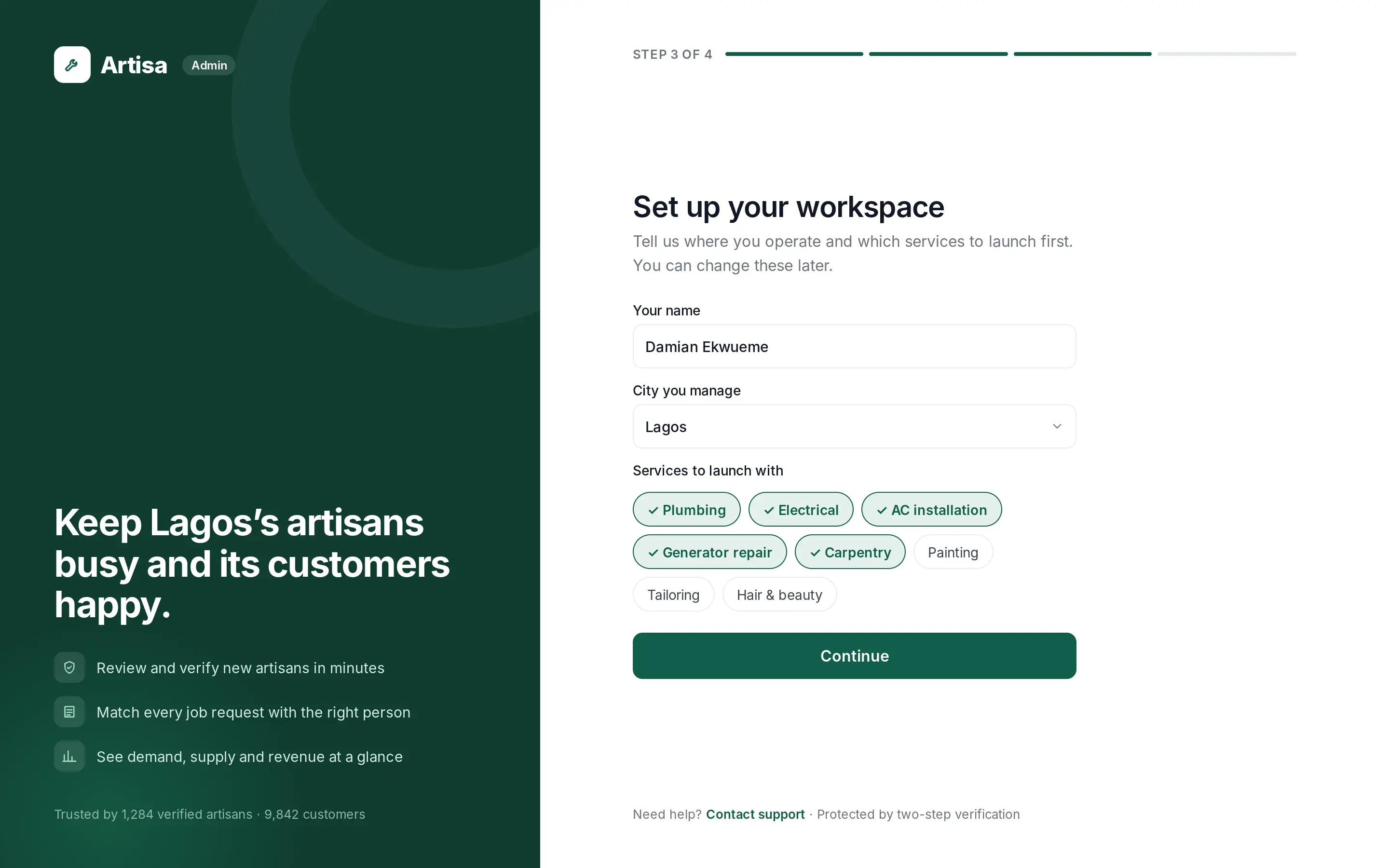
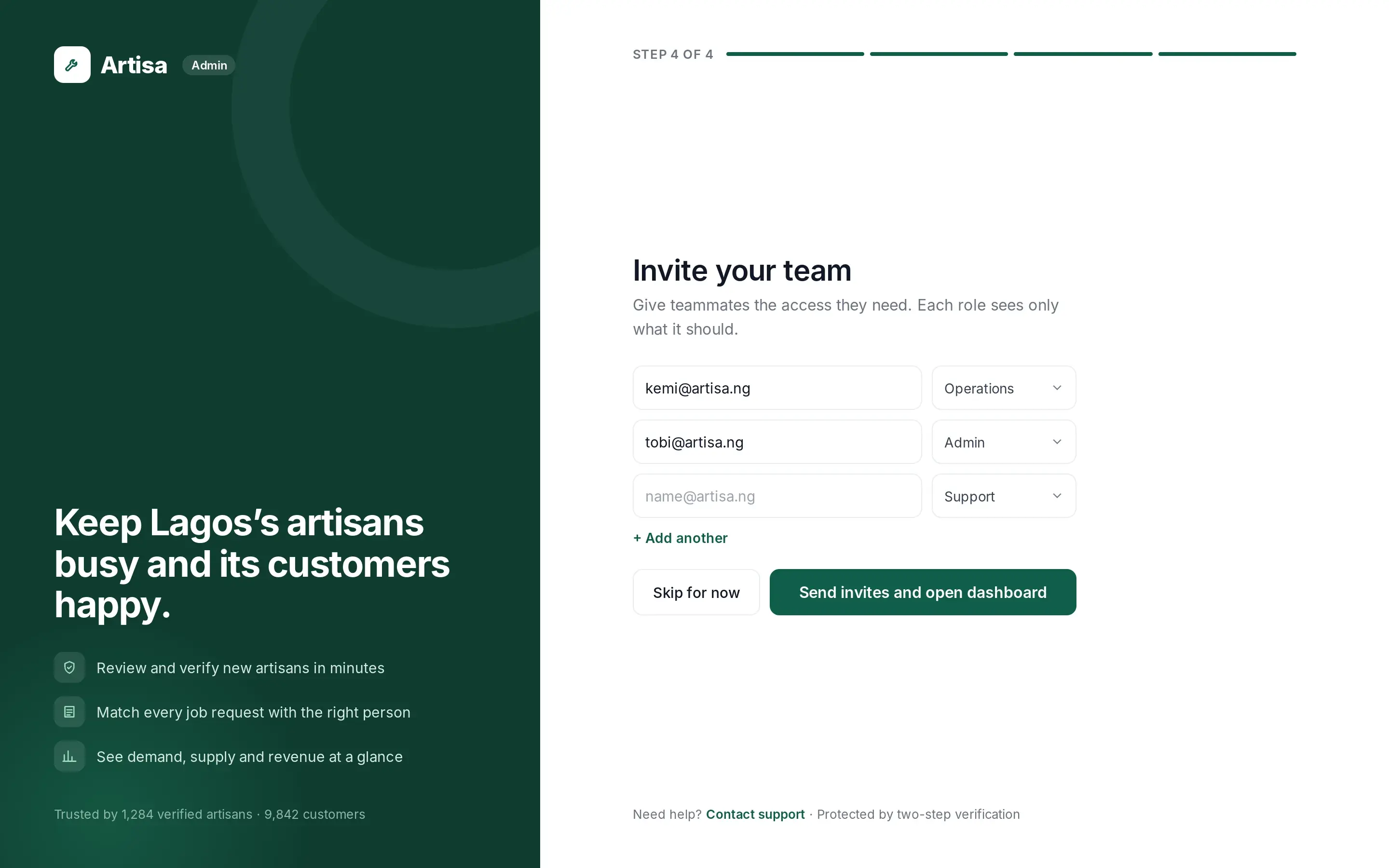
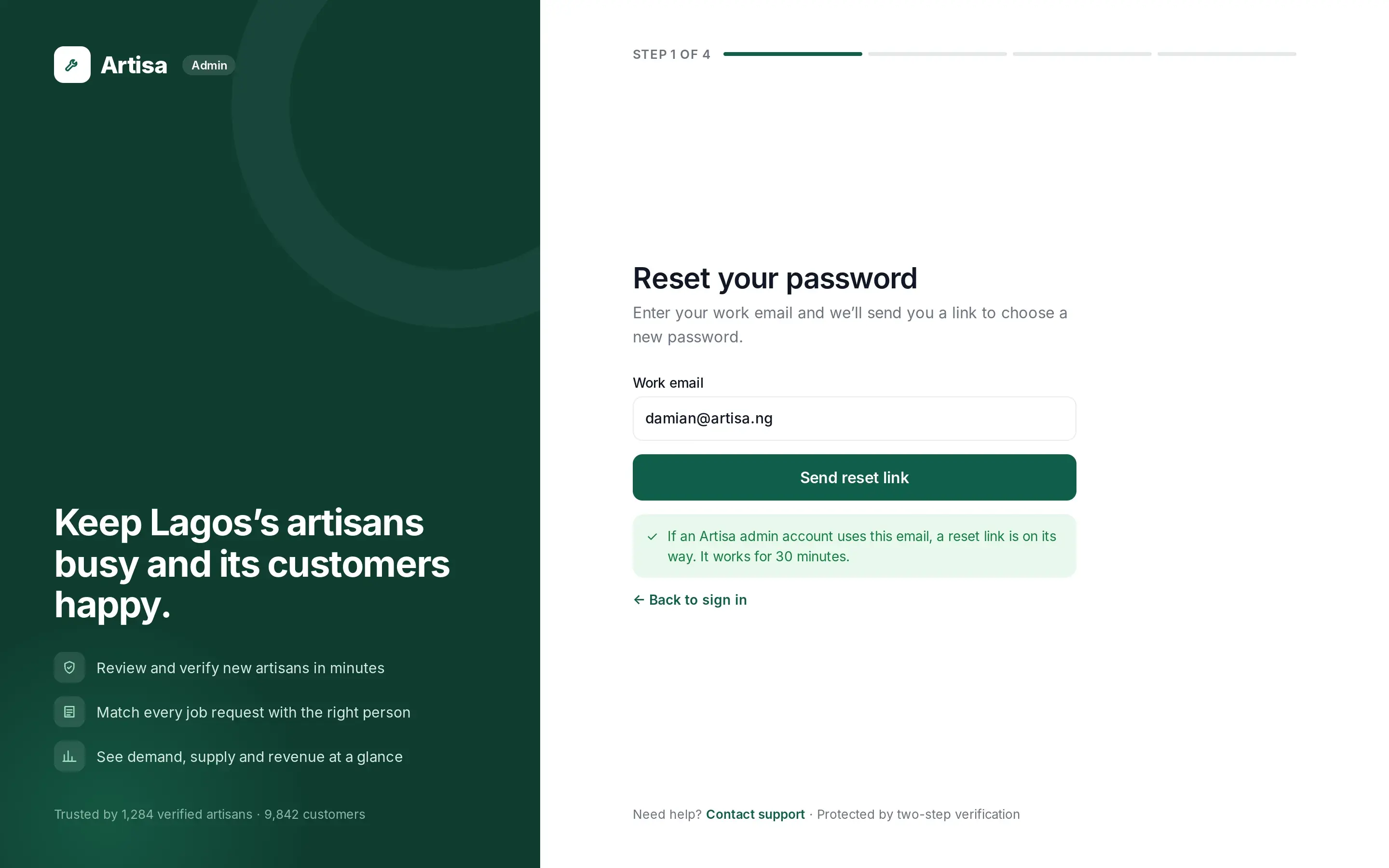
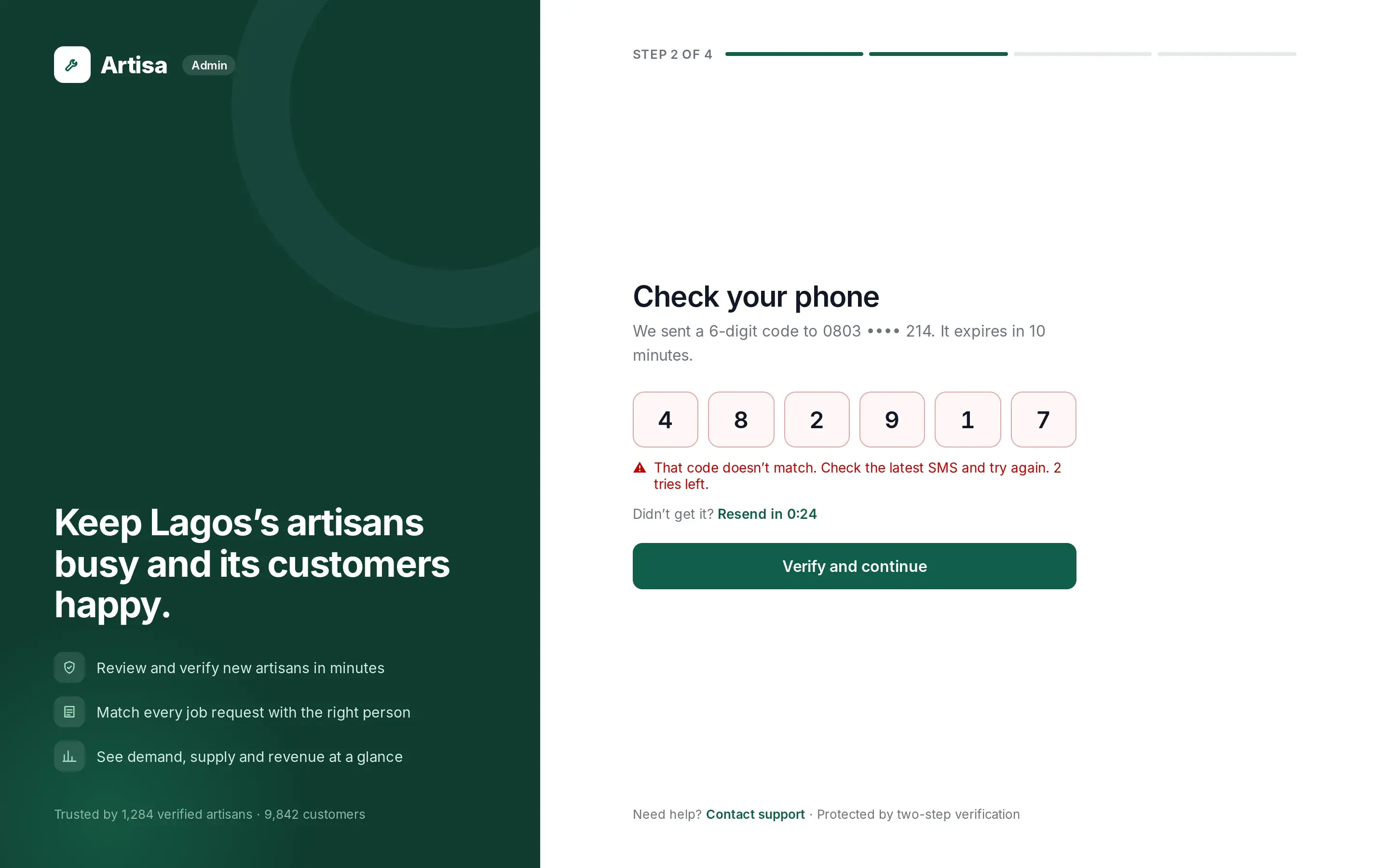
A short, secure first-time setup: sign in, verify with a code, choose the city and services to launch with, and invite the team with the right roles.
Scroll inside a screen to see the whole page.
Brand and design system
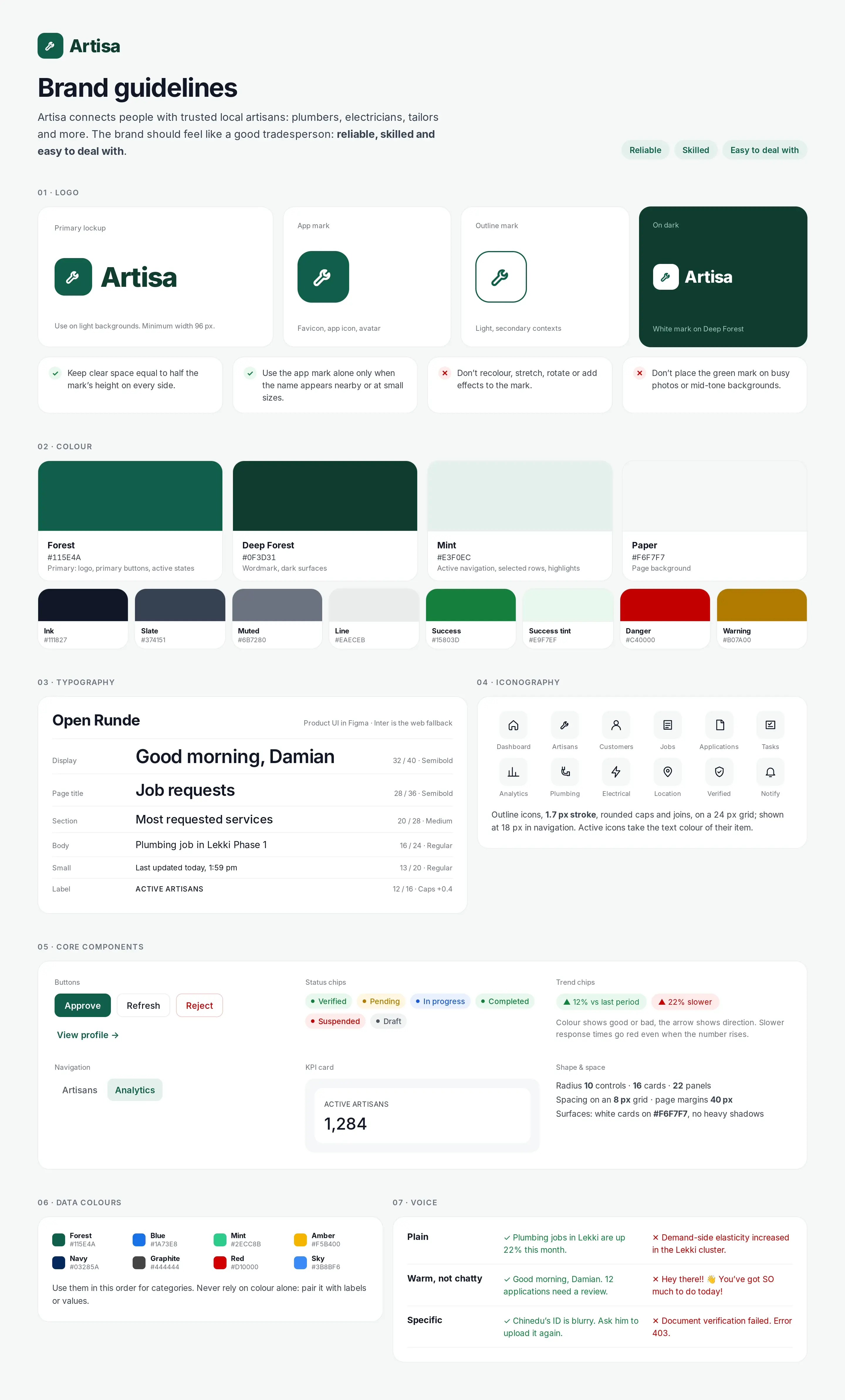
A small, reusable design system (colours, type, icons, chips and cards) so every screen feels like one product.
Outcome
What I’d measure
Success for this tool is measured in time saved and nothing missed: how long approvals take, how many requests wait over 24 hours, and how quickly disputes are closed.